
Updated
Console Guide
How to Clip GTA 6 on PS5 and Xbox
GTA VI is console only at launch, so every launch clip starts as a PS5 or Xbox recording or a stream. Here is how to record with your voice on, get the file off the console, and cut it into vertical clips.
Grand Theft Auto VI artwork and logo: Rockstar Games.
To clip GTA 6 on PS5, turn on mic audio under Settings > Captures and Broadcasts > Captures, record with the Create button (up to 1 hour), then copy the file to a USB drive or send clips up to 3 minutes to the PlayStation App. On Xbox, record up to 10 minutes on internal storage or 1 hour on an external drive. Then upload the file to OpenClip, or paste a stream link, to get captioned vertical clips.
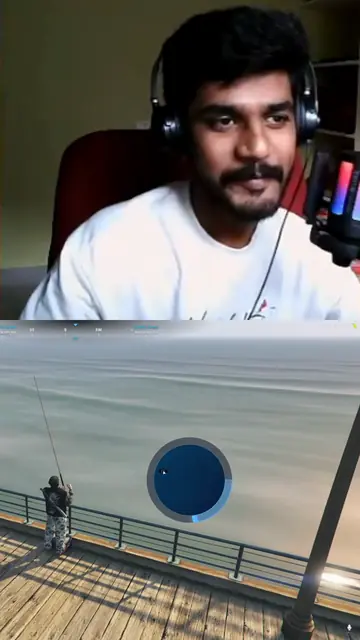
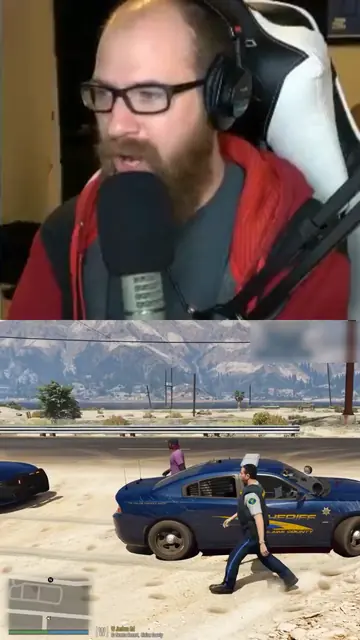
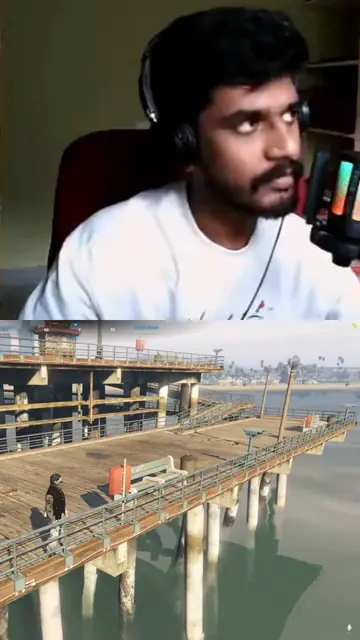
Facecam over gameplay
Frames from clips in the Facecam over gameplay layout: the streamer's camera on top, the game below. Pick it for your brand under Clip layout. We made these from GTA V streams, before GTA VI's 19 November 2026 release.
Prerequisites
- A PS5 or Xbox Series X|S with GTA VI (release: midnight local time on 19 November 2026)
- A headset mic if you want your commentary in the clips
- A USB drive, or the PlayStation App or Xbox app on your phone
- An OpenClip trial or plan if you want a long recording cut into clips for you
Steps
Turn on mic and party audio before you play
Consoles leave your voice out of captures unless you switch it on. On PS5, go to Settings > Captures and Broadcasts > Captures > Video Clip Format and choose to include your microphone audio and voice chat audio. Sony asks you to get the other players' OK before you record their voices. On Xbox, clips record game audio and the console does not add party chat to them, so for commentary on Xbox, broadcast the session with your headset mic on, or record through a capture card. Commentary is what makes a GTA clip work as a short, and it is what OpenClip reads to find moments.
Tip: Record ten seconds and play it back before a long session. A silent hour is the most common mistake.
Record the session
On PS5, press the Create button and choose Start New Recording. A manual recording can run up to 1 hour. If something great just happened, use Save Recent Gameplay instead, which keeps anything from the last 15 seconds up to the last hour. On Xbox Series X|S, press the Xbox button, then Capture & share. Record what happened saves the last 30 seconds by default and up to 2 minutes. Start recording runs up to 10 minutes on internal storage or 1 hour on an external drive.
Tip: Some scenes are blocked from capture on PS5, so a recording can skip a part of the game.
Get the file off the console
On PS5, open the Media Gallery, select the recording and copy it to a USB drive, then move it to your computer. For short clips, the PlayStation App can upload captures to your phone: only clips up to 3 minutes long and up to 1080p, and they stay there for 14 days. The console has to be in rest mode with Stay Connected to the Internet on. On Xbox, captures upload to the Xbox network, where they are deleted after 90 days. Open the Xbox app on your phone to save them, or turn on automatic upload to OneDrive under Settings > Preferences > Capture & share.
Tip: Xbox has reported that 4K and HDR clips may not upload to OneDrive automatically. Record in 1080p if you plan to use OneDrive.
Or broadcast the session and paste the link
A broadcast is the easiest way to get a long session off a PS5. Press the Create button, choose Broadcast, and stream to YouTube with the visibility set to Unlisted, or to Twitch. When the stream ends, paste the YouTube video or live link, or the Twitch past broadcast link, into OpenClip. Xbox can broadcast to Twitch the same way. Kick needs a capture card or streaming software, and its VOD links work too.
Tip: A Private YouTube video cannot be fetched, and an age-restricted one is refused. If YouTube age-restricts your stream, download it from YouTube Studio and upload the file instead.
Fix a single short clip with the free tools
If you only have one moment, you may not need a clipping tool. PS5 records WebM by default, which some phones and editors will not open: convert it with the WebM to MP4 converter. Turn a 16:9 clip vertical with crop video for TikTok or landscape to portrait, and shrink it for a server with compress video for Discord. All of them run in your browser.
Tip: You can also switch the PS5 to MP4 under Video Clip Format if you always edit on a phone.
Turn a long recording into clips with OpenClip
Upload the recording or paste the link at openclip.app/dashboard. Set Video type to Gaming and Max clip length to 45 or 60 seconds, and add clip guidance such as "skip cutscenes and story scenes, prefer my reactions". If you only want part of the session, trim it first, because processing costs 1 credit per minute of source video. OpenClip scores the moments from what you say and how loud it gets, and renders the best ones as 9:16 clips with word-level captions. Review the shortlist, fix a caption if needed, and download.
Tip: OpenClip picks moments mainly from speech. A capture with no voice on it can give few clips or none.
Post it and watch the music
Post to TikTok, YouTube Shorts or Instagram Reels from your phone. Before you post, listen for the in-game radio: licensed songs can get a clip claimed or muted. Keep clips with music under 60 seconds, or pick moments where the radio is off.
Tip: See clipping on TikTok and clipping on YouTube Shorts for platform specs.
What You'll Achieve
You will record GTA VI with your voice on, get the recording off a PS5 or Xbox by USB, phone app, OneDrive or a broadcast link, and turn it into captioned vertical clips that are ready for TikTok, Shorts and Reels.
How long can a PS5 recording of GTA 6 be?
Up to 1 hour. That limit applies both to a new recording and to Save Recent Gameplay, which keeps anything from the last 15 seconds to the last hour, depending on your settings (PlayStation Support, checked 14 November 2026). For a longer session, record in one-hour parts or broadcast the session and clip the VOD.
Resolution matters for file size. 4K recording needs a 4K display, and a 4K hour is a very large file to move around. If you plan to clip on a phone, 1080p is easier to handle and is what the PlayStation App accepts. GTA VI targets 30 frames per second on consoles, according to pre-launch reports, so a 60 fps capture setting gains little.
Why do my PS5 clips have no voice?
Because the PS5 leaves mic and party audio out of captures by default. Turn it on under Settings > Captures and Broadcasts > Captures > Video Clip Format, and choose to include your microphone audio and voice chat audio. You can also change it for one session from the capture options in the Create menu. If you include voice chat, ask the people in your party first.
This matters more than anything else in this guide. A GTA clip with no voice is a gameplay clip, and gameplay clips rarely travel outside people who already play the game. It also matters for OpenClip, which picks moments mainly from speech: a capture with no voice gives it little to work with.
How do I get PS5 clips on my phone?
Use the PlayStation App. Link your PS5 in the app, then turn on auto-upload under Library > Captures, or on the console under Settings > Captures and Broadcasts > Captures > Auto-Upload. The console has to be in rest mode with Stay Connected to the Internet turned on. You can also upload by hand: in the Media Gallery, select captures, press Options and choose Upload to PlayStation App.
The limits are tight. Only clips up to 3 minutes long and up to 1080p are uploaded, 4K clips are skipped, and captures stay in the app for 14 days (PlayStation Support, checked 14 November 2026). For anything longer, copy the file to a USB drive or broadcast the session instead.
How do I clip GTA 6 on Xbox Series X|S?
Press the Xbox button, then Capture & share. Record what happened saves the last 30 seconds, or up to 2 minutes if you change the length. Start recording runs for up to 10 minutes on internal storage or up to 1 hour when you capture to an external drive. You can change the default clip length under Settings > Preferences > Capture & share.
Captures upload to the Xbox network automatically, and since September 2023 they are deleted there after 90 days. Save the ones you want with the Xbox app on your phone, or turn on automatic upload to OneDrive. OpenClip accepts public OneDrive share links, so a capture in OneDrive can go straight in: open it in OneDrive, choose Share, set the link so anyone with it can view, and paste the link.
Can I stream GTA 6 from my console and clip it later?
Yes, and for long sessions it is the simplest route. PS5 broadcasts to YouTube and Twitch, and Xbox broadcasts to Twitch. On YouTube, set the visibility to Unlisted: a Private video cannot be fetched by OpenClip. Keep a YouTube broadcast under 12 hours, because YouTube may not save longer streams as a video.
On Twitch, turn on Store past broadcasts in your channel settings first. Twitch keeps past broadcasts for 7 days on most channels, 14 for Affiliates and 60 for Partners, so clip them soon. Paste the twitch.tv/videos link into OpenClip once the stream has ended: a live channel link and a subscriber-only VOD will not work. Kick VOD links work the same way. A whole Twitch or Kick link over about 5 hours must be trimmed before it is processed. Uploads and trimmed parts can run up to 12 hours. If YouTube age-restricts your broadcast, OpenClip refuses the link, so download the video from YouTube Studio and upload the file.
What should I leave out of a GTA 6 clip?
Story scenes and songs. Rockstar's video policy removes isolated cutscenes, edited compilations of story scenes, the ending and major plot reveals, and a removal filed as a legal request is a copyright strike on YouTube. Clip your reaction to a scene, not the scene on its own.
The in-game radio plays licensed songs that record labels can claim through Content ID or mute on TikTok and Instagram. A claimed YouTube Short over one minute may be blocked. When you submit to OpenClip, add guidance such as "skip cutscenes and story scenes" and keep Max clip length at 60 seconds or less. See music and copyright for clippers and clipping rights and permission for the details.
Features
Upload Console Files As They Are
WebM and MP4 recordings from a PS5 or Xbox go straight in, no conversion needed
Paste a Broadcast Link
YouTube video and live links, Twitch past broadcasts, Kick VODs and OneDrive share links
Moments Found From Your Commentary
OpenClip scores what you say and how loud it gets, then renders the best moments
Vertical and Captioned
Every clip comes out 9:16 with word-level captions, ready for TikTok, Shorts and Reels
Frequently Asked Questions
Turn a Console Recording Into Clips
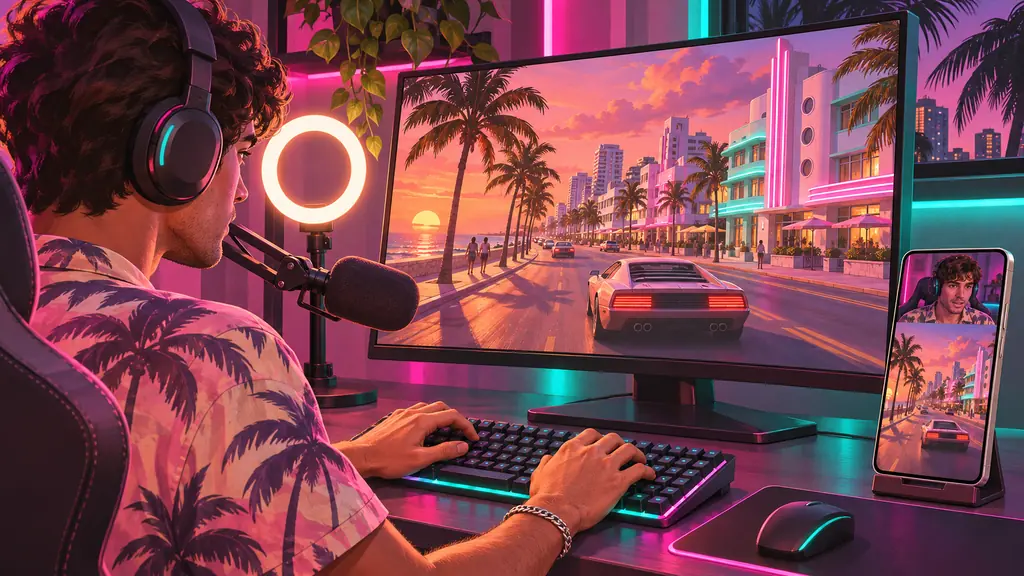
Upload a PS5 or Xbox recording, or paste a broadcast link, and get captioned 9:16 clips of the moments where you react.
Related Pages
Clipping Economy
Use Cases
Comparisons
OpenClip is not affiliated with, endorsed or sponsored by Rockstar Games or Take-Two Interactive. Grand Theft Auto, GTA and GTA VI are trademarks of Take-Two Interactive Software, Inc.