By Mees de Beukelaar
Best Practices for Team Collaboration in Video Editing
Centralize assets, define roles, and combine real-time, async, and AI tools to eliminate version chaos and accelerate collaborative video editing.
Originally published March 7, 2026
In this article
Collaboration in video editing can save time, reduce errors, and improve project outcomes. But it’s not without challenges - version control issues, scattered feedback, and time zone delays can derail progress.
Here’s how to overcome these obstacles:
- Centralize assets and feedback: Use a single platform to manage files, comments, and versions. This reduces confusion and keeps everyone on the same page.
- Define roles and workflows: Assign clear responsibilities (e.g., editor, sound designer) and standardize stages like setup, rough cut, and delivery.
- Leverage technology: Use tools for real-time and asynchronous collaboration. Features like time-coded feedback and cloud storage streamline workflows.
- Utilize AI tools: Automate repetitive tasks like transcription, version formatting, and content repurposing to save hours and meet social media demands.
Centralize Assets and Feedback
Benefits of a Single Collaboration Hub
When assets are scattered and feedback is disjointed, teams lose valuable time piecing everything together. A centralized hub solves this by organizing video files, versions, comments, statuses, and ownership in one accessible location.
A well-structured naming and storage system can reduce the time spent searching for files by 35%. Centralizing also eliminates confusion over versions, which helps avoid the risk of team members working on outdated or mismatched edits. With everyone accessing the same updated files, teams can work in parallel - editors, sound designers, and VFX artists can collaborate simultaneously instead of waiting for one another to finish.
Filmmaker Jake Van Wagoner shared the impact of adopting a centralized platform:
"We could pause, type in a note, and she knew exactly where we were and what we were discussing".
This kind of precise, time-coded feedback takes the guesswork out of the process, shrinking review cycles from days to mere hours.
These advantages highlight the importance of choosing platforms with features designed specifically for video production teams.
Features to Look for in a Collaboration Platform
Video teams have unique needs that generic platforms simply don’t address. Tools for high-resolution workflows must offer features tailored to video production. For instance, time-coded feedback is critical - reviewers should be able to leave comments directly on the editor’s timeline in software like Adobe Premiere Pro or DaVinci Resolve.
Version control is another must-have. A good platform should allow you to replace video files while keeping the same review URL, track every change, and provide status labels like "In Review" or "Approved". Browser-based review tools are also a game-changer, enabling stakeholders to provide feedback without downloading extra software or creating accounts. For additional protection, prioritize platforms offering password-protected links, expiration dates, and role-based permissions to safeguard your work from unauthorized access.
Cloud-native storage is equally essential. Unlike sync-based systems that download files to local drives - eating up storage and risking conflicts - cloud-native platforms stream files on demand. This approach ensures a single source of truth and can handle massive transfers, even up to 250GB. Lastly, the platform should support both real-time "live review" sessions and asynchronous workflows, making it easier for distributed teams across time zones to collaborate seamlessly.
sbb-itb-5598afdCollaborative video editing: How to edit together from anywhere
Define Roles, Workflow Stages, and Permissions
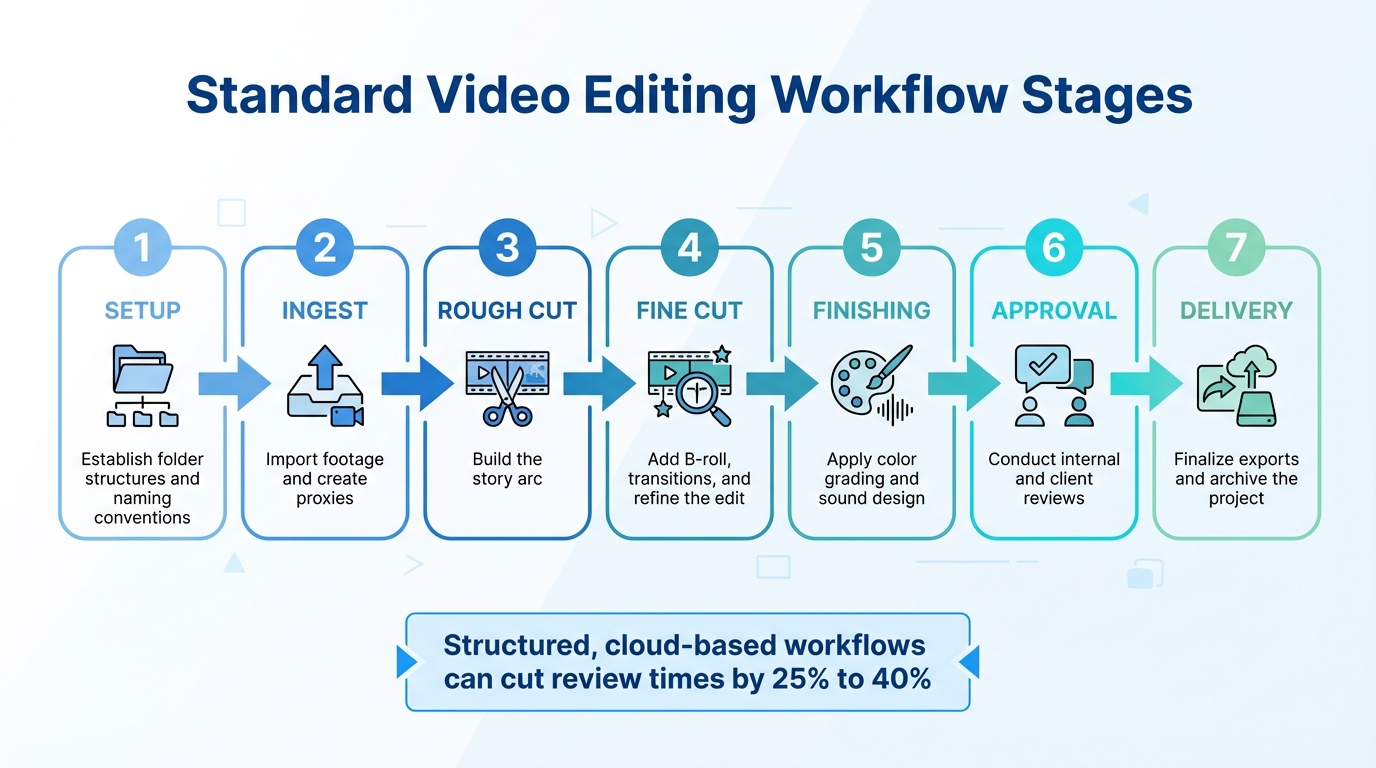
7-Stage Video Editing Workflow Process for Team Collaboration
This section focuses on setting up clear roles, standardizing workflows, and implementing permissions to simplify collaboration in video editing projects.
Assign Roles for Team Members
Defining roles upfront helps eliminate confusion and ensures smoother operations. These roles range from Post-Production Supervisors, who handle budgets and schedules, to Picture Editors, who steer creative decisions. Assistant Editors take care of technical details like syncing footage and organizing files. Specialized roles include VFX Editors, who coordinate visual effects turnovers; Online Editors, who manage high-resolution media; Colorists, who shape the final visual style; and Sound Teams, which consist of sound editors, foley artists, and mixers responsible for crafting the audio experience. Additionally, Reviewers and Approvers - such as producers, directors, and clients - step in at specific milestones to provide feedback.
As VFX Editor Conner Stirling explains:
"Having clearly defined roles in your post production team is the first step to building trust and efficiency in your workflow."
Well-defined roles not only enhance trust but also allow teams to work seamlessly, even when spread across different time zones.
Once roles are set, the next step is to standardize the workflow stages so everyone knows their responsibilities at each phase.
Create Standard Workflow Stages
After clarifying roles, mapping out a standardized workflow ensures a smooth editing process. Many teams follow seven key stages:
- Setup: Establish folder structures and naming conventions.
- Ingest: Import footage and create proxies.
- Rough Cut: Build the story arc.
- Fine Cut: Add B-roll, transitions, and refine the edit.
- Finishing: Apply color grading and sound design.
- Approval: Conduct internal and client reviews.
- Delivery: Finalize exports and archive the project.
It’s also helpful to separate tasks (e.g., editing or color correction) from deliverables (e.g., rough cuts or final masters). Using structured, cloud-based workflows can cut review times by 25% to 40%.
Set Role-Based Permissions
Building on clear roles and workflows, precise permissions ensure secure and efficient collaboration. Following the principle of least privilege, team members should only have access to what their role requires. A two-tier system works well here:
- Workspace-level permissions: Manage administrative settings and billing.
- Project-level roles: Define specific actions within individual projects.
For workspace roles, limit Administrator access to one or two stakeholders. Senior producers or project leads, acting as Managers, can oversee their own projects. Most team members should operate as Users, with access restricted to their assigned projects. Within projects, the Project Owner has full control, Asset Managers handle file uploads and organization, Uploaders can add content, and Internal Collaborators can view and share assets but cannot delete them.
To maintain security, revoke permissions as soon as assignments end, and regularly audit access - especially when working with external vendors. For sensitive pre-release materials, visual watermarking can help track viewing access.
As MediaSilo puts it:
"When your teams and reviewers are organized with the right level of access at every stage, you can move faster, collaborate better, and reduce risk across the board."
Use Technology for Real-Time and Asynchronous Collaboration
Once roles and workflows are established, the right technology can make teamwork effortless - whether your team collaborates in real time or works across different time zones. Modern video editing teams need tools that support both real-time sessions for immediate feedback and asynchronous workflows for flexible, distributed work.
Real-Time Collaboration Tools
Real-time tools are like bringing the edit suite online, allowing teams to collaborate as if they were physically together. Features like live review rooms let everyone watch playback in sync, pausing to discuss specific frames. Timestamped, frame-accurate comments ensure there's no confusion about which part of the video needs tweaking. Plus, visual markup tools allow reviewers to draw directly on the video screen, making feedback crystal clear.
Live review sessions are a game-changer for creative alignment, offering immediate, frame-specific feedback. Low-latency streaming ensures smooth HD video feeds with minimal delay, creating a "remote over-the-shoulder" experience. Even better, integration with tools like Adobe Premiere Pro, DaVinci Resolve, and Final Cut Pro means editors can address comments directly within their timelines - no extra steps required.
The advantages are backed by numbers: 94% of businesses report increased productivity with video conferencing, while 87% of remote workers feel more connected using these tools. Real-time collaboration is ideal for brainstorming, final approvals, and resolving creative differences that benefit from instant dialogue.
These tools also transition seamlessly into asynchronous workflows, which are especially important for globally distributed teams.
Asynchronous Workflows for Distributed Teams
Asynchronous tools take collaboration further by eliminating the need for everyone to be online at the same time. Centralized cloud storage ensures that everyone works on the latest version of a project, avoiding the dreaded "version chaos" where outdated cuts cause confusion. Automated version control tracks every change and preserves comment histories, so team members in different time zones always have the full context.
Global production agencies rely on these workflows to maintain 24-hour production cycles across continents. They handle massive projects - ranging from 500 GB to 5 TB - without shipping physical drives or waiting for slow downloads.
Proxy workflows are a key enabler here. Teams can upload lightweight proxy files for immediate editing, while high-resolution originals upload in the background. Browser-based review tools further streamline the process, allowing stakeholders to leave feedback without needing specialized software or accounts. Written feedback tied to specific video versions creates a transparent audit trail, keeping everyone aligned without requiring constant meetings.
Feature Real-Time Collaboration Asynchronous Collaboration Primary Tools Video calls, live review rooms, low-latency streaming Timecoded comments, version tracking, cloud storage Best For Creative brainstorming, final approvals Iterative edits, global teams, technical fixes Key Benefit Immediate alignment and "over-the-shoulder" feel Flexibility across time zones, documented audit trailsUse AI-Powered Tools for Efficiency and Scale
AI tools are a game-changer for teams looking to streamline their content repurposing workflows. By automating repetitive tasks that typically take up 40–60% of editing time, these tools drastically reduce the effort required to prepare content for reuse. For instance, instead of spending hours manually scanning and reformatting footage, AI platforms can cut a 4-hour process down to just 15 minutes.
This kind of efficiency is critical for teams producing social media content, where algorithms reward frequent posting. Platforms like TikTok, Reels, Shorts, and LinkedIn often demand multiple posts per day, a pace that's unsustainable with manual workflows. AI-driven tools step in by analyzing over 1,000 data points per minute of footage. They can identify viral-worthy hooks, add captions with over 95% accuracy, and reframe horizontal videos into vertical formats while keeping speakers perfectly centered [27,28]. These capabilities allow teams to maintain both speed and creativity, making AI tools indispensable for video repurposing.
How OpenClip Streamlines Video Repurposing
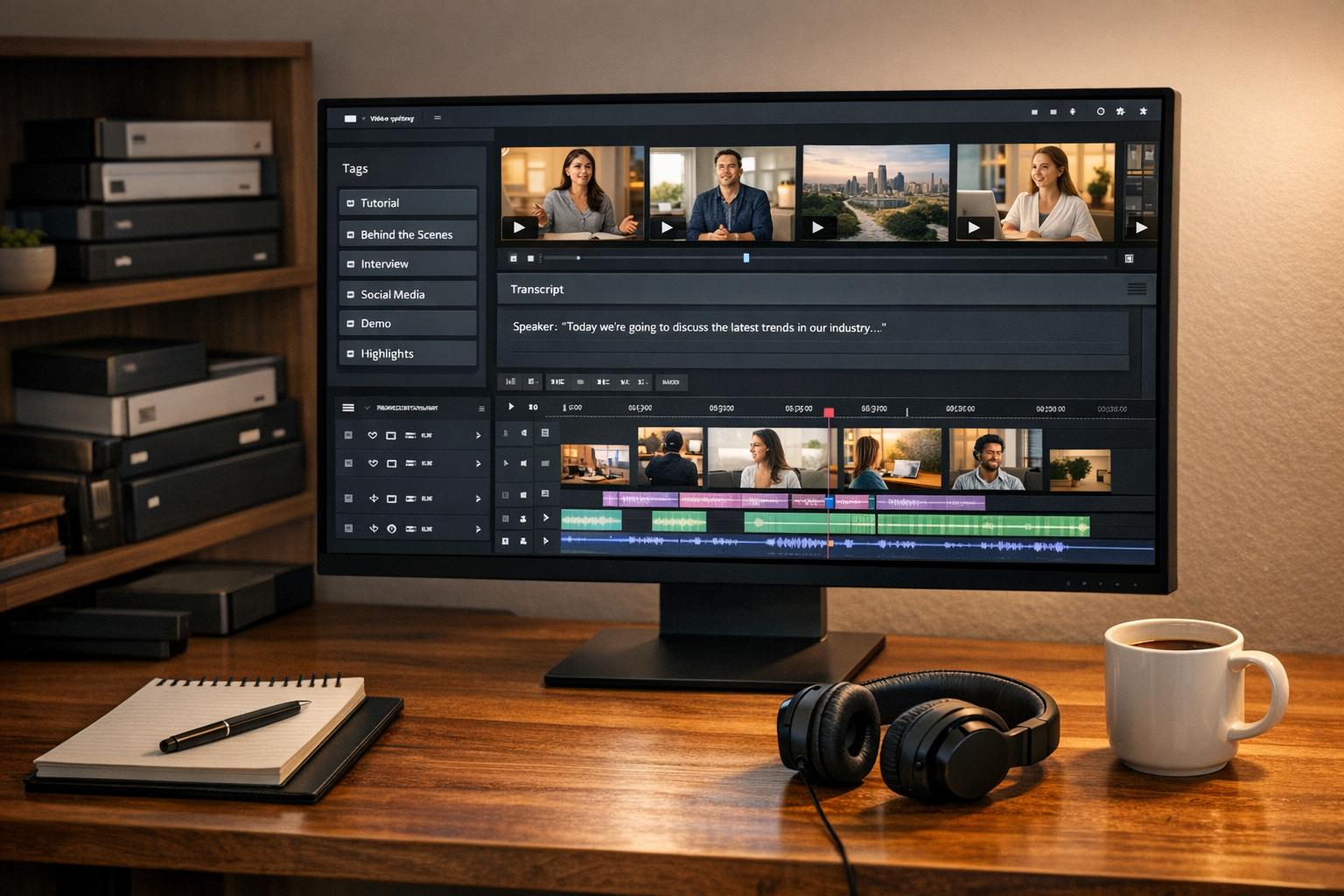
OpenClip simplifies the entire video repurposing process with features like automatic transcription, speaker detection, and text-based editing. Editors can trim clips directly from transcripts and remove filler words like "um" and "uh" without ever scrubbing through timelines. The platform’s AI goes even further, analyzing visual activity, audio sentiment, and speech patterns to pinpoint the most impactful moments - saving hours of manual effort.
For distributed teams working asynchronously, this precision is invaluable. OpenClip’s Smart Reframe technology automatically converts 16:9 footage into 9:16 vertical or 1:1 square formats, keeping faces centered and captions visible [28,30].
Managing multiple brands or clients? OpenClip’s brand kit functionality makes it easy to apply logos, color schemes, and fonts across dozens of clips at once. This ensures consistent branding and can boost brand recall by up to 23%. Teams using OpenClip report saving around 200 hours annually thanks to these features [27,29]. Beyond speeding up edits, the platform also simplifies format adaptation, which is critical for multi-channel social media strategies.
Multi-Format Video Editing for Social Media
Different social platforms have different format requirements: TikTok thrives on 15–30-second vertical clips, LinkedIn prefers 30–90-second horizontal or square videos, and Reels work best with 30–60-second vertical content. Adjusting for these formats manually can overwhelm even the most efficient teams.
OpenClip solves this by generating multi-format exports (9:16, 1:1, 16:9) from a single video, ensuring captions stay in "safe zones" where platform overlays won’t block them [28,30]. It doesn’t stop there - OpenClip’s integrated scheduler can auto-publish these optimized clips directly to TikTok, Reels, Shorts, X, and LinkedIn. This creates a seamless workflow, taking content from editing to distribution without manual intervention.
Timing matters, too. AI-optimized scheduling ensures videos go live during peak engagement periods, which can increase content reach by 30–50%. For teams producing high volumes of content, this automation is a game-changer. A single 60-minute webinar or podcast can be transformed into 20+ platform-ready clips, turning one recording session into weeks of social media content.
Conclusion
Summary of Best Practices
Team collaboration has reshaped video editing by addressing common challenges like version chaos and slow feedback loops. By centralizing assets, teams can ensure edits remain consistent and up-to-date. Streamlined feedback, with frame-accurate and timestamped comments, has been shown to cut review times dramatically - from three days to just three hours. Standardized workflows, complete with clear roles and structured folder systems (e.g., 01_RAW, 02_AUDIO), minimize miscommunication and reduce technical errors that could otherwise delay production. These practices align with earlier points about the importance of clarity and automation in boosting efficiency.
Switching to cloud-native storage offers another game-changer. Teams can now stream massive files on demand, avoiding the need to download entire terabytes of footage. Asynchronous workflows further enhance productivity, allowing distributed teams to collaborate seamlessly across time zones without relying on constant real-time meetings. This approach removes many of the typical roadblocks that can stifle creativity.
Why Teams Should Adopt Collaboration Tools
The benefits of adopting modern collaboration tools are clear, supported by both data and practical outcomes. For instance, 94% of businesses report increased productivity through video conferencing, while better file management can save up to 35% of the time spent searching for assets. Additionally, cloud-based solutions replace traditional editing suite rentals (costing $500–$2,000 per day) with far more affordable monthly subscriptions ranging from $50 to $200.
Social media teams stand to gain even more. Tools like OpenClip automate repetitive tasks, such as content repurposing, which is crucial for meeting the demands of platforms like TikTok, Reels, Shorts, and LinkedIn. Manual workflows simply can't keep up with the need for multi-format content production. AI-powered tools streamline processes like transcription, speaker detection, and multi-format exporting, giving teams more time to focus on creative decisions - whether that's crafting the perfect hook, building a compelling story, or ensuring brand consistency.
The future of video editing is collaborative, distributed, and increasingly supported by AI. These tools empower teams to create more content at a faster pace while maintaining high standards of quality. By adopting these strategies, teams can meet the growing demands of modern video production without overwhelming their editors.
FAQs
What’s the fastest way to prevent version mix-ups?
The fastest way to prevent version mix-ups in collaborative video editing is to use tools that offer real-time collaboration and automatic version tracking. These features ensure that everyone is working on the most up-to-date file and can easily access earlier versions if necessary. On top of that, setting up clear naming conventions and organized folder structures from the beginning of the project helps keep everything tidy and minimizes potential confusion.
How do we set permissions without slowing the team down?
To manage permissions effectively, apply detailed, resource-specific controls tailored to roles and responsibilities. For instance, assign team members permissions such as "Can edit", "Can comment", or "Can view" for particular videos or folders. This role-based approach ensures users receive just the right level of access, preventing bottlenecks caused by permissions that are either too restrictive or overly broad, all while keeping collaboration seamless.
When should we use live review vs async feedback?
The decision between live review and asynchronous feedback really comes down to what your project demands. Live review shines when real-time input is essential - think client presentations or brainstorming sessions where immediate back-and-forth is key. On the other hand, async feedback works well for teams spread across time zones or when there's a need for more detailed, well-thought-out input. Many teams find a balance by using live reviews for pivotal moments and async feedback for ongoing tweaks and revisions.
Turn one video into a week of content.
Try OpenClip free