By Mees de Beukelaar
How Shared Libraries Simplify Video Repurposing
Centralize video assets and use AI tagging, transcripts, and templates to convert long-form footage into platform-ready clips with consistent branding.
Originally published December 27, 2025
In this article
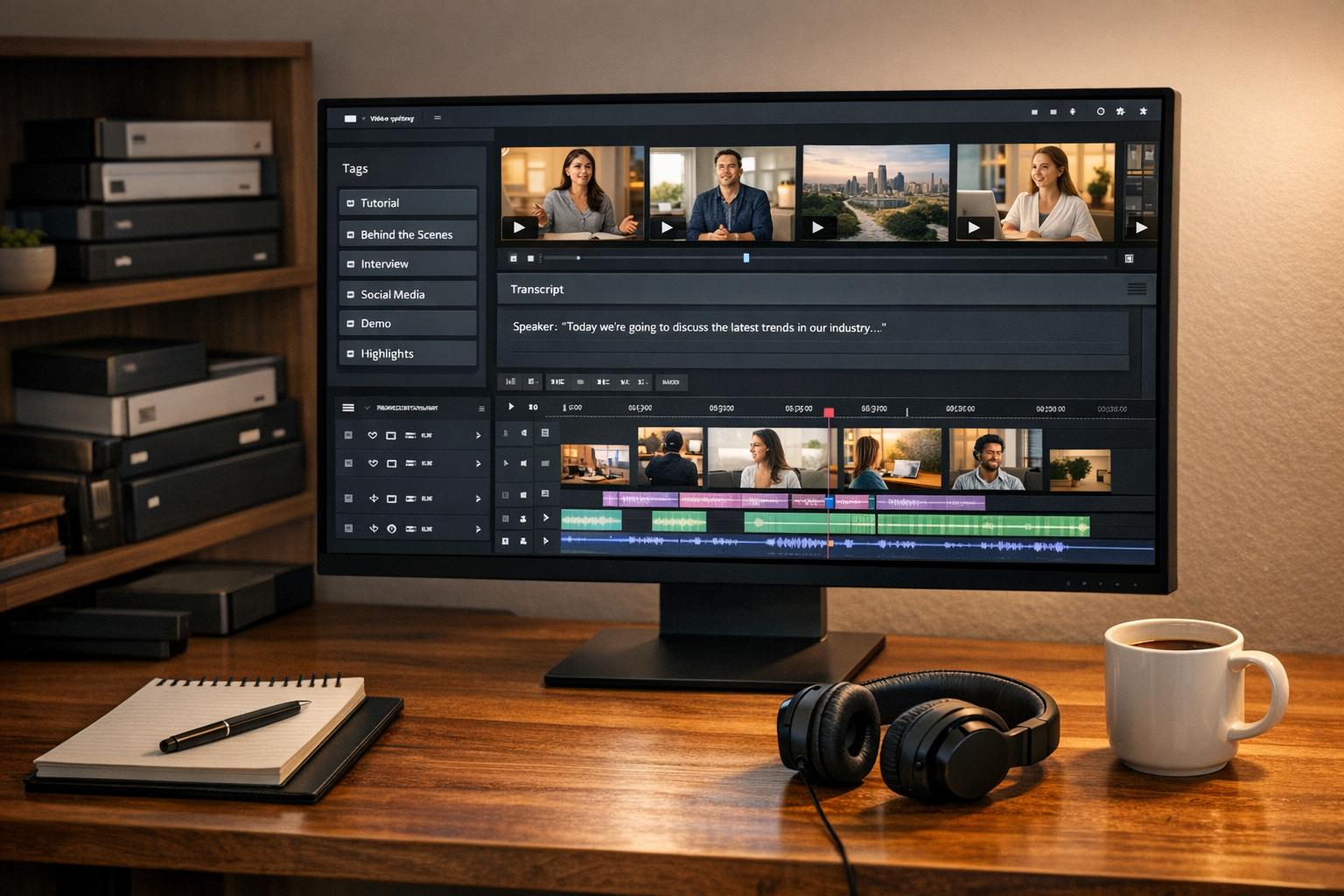
Shared libraries make video repurposing faster and more efficient by centralizing all your video assets in one place. Instead of wasting time searching through scattered files, teams can easily store, organize, and access content with tools like OpenClip. These libraries use AI to tag videos, transcribe audio, and even identify key moments, streamlining the editing process. This approach reduces errors, ensures brand consistency, and cuts production costs by up to 70%.
Key Benefits of Shared Libraries:
- Centralized storage eliminates misplaced or outdated files.
- AI-powered search helps locate specific clips instantly.
- Automated tools create platform-ready clips (e.g., TikTok, Instagram Reels).
- Built-in workflows improve collaboration and speed up approvals.
Whether you're managing a single campaign or juggling multiple projects, shared libraries simplify video workflows, letting you focus on creating content that resonates with your audience.
Leveraging Video Workflows and DAM
Setting Up Shared Libraries in OpenClip
OpenClip makes it easy to set up shared libraries, helping teams manage video assets efficiently. Whether you're tackling a single campaign or balancing multiple clients, the process is designed to be simple and collaborative.
Creating Your First Shared Library
To get started, set up a team account in OpenClip. Once you're in, create customizable project folders to keep your video assets neatly organized. You can sort assets by campaign, client, or content type, depending on what works best for your workflow.
It's a good idea to avoid dumping all your assets into one library. Instead, organize them into dedicated folders right away. This saves you from wasting time later trying to track down specific files. For instance, you could create folders like "Q1 Product Launches", "Client Testimonials", or "Social Media Campaigns."
Another useful feature is the ability to create brand templates (up to two), where you can store essentials like logos, colors, and other branding elements. These templates help maintain a consistent look across all your video clips, so your team doesn't have to tweak branding manually every time they produce new content.
With this structured setup, uploading and managing your assets becomes a breeze.
Uploading and Organizing Video Assets
OpenClip offers several upload options to fit your workflow. You can drag and drop files directly, or import them from platforms like YouTube, Google Drive, Vimeo, Zoom, and StreamYard. The platform supports video files up to 10GB in size and up to 10 hours in length, making it suitable for most long-form content.
For the best results with AI detection, upload videos that are between 15 and 180 minutes long. Supported formats include .mp4, .mov, and .mkv for videos, as well as .png and .jpg for images. If you're adding custom media assets directly to the timeline, keep them under 200MB and no longer than 15 minutes to avoid upload issues.
After uploading, rename your files to something descriptive and easy to identify. This simple step makes searching for files much faster later on. For example, instead of sticking with a generic name like "VID_20251227_143022.mp4", rename it to something like "Product_Demo_Dec2025.mp4." The platform’s search bar allows you to locate assets by filename, so clear naming conventions are a big time-saver.
To further streamline your workflow, OpenClip uses visual indicators and icons that make it easy to differentiate between media types at a glance. Plus, with cloud storage, your entire team has access to the latest versions of all assets, eliminating the risk of version mix-ups.
Using Shared Libraries to Repurpose Videos
With a shared library in place, transforming long-form videos into platform-ready clips becomes a breeze. OpenClip’s AI-driven tools simplify the process, seamlessly integrating with your centralized video library to streamline content creation.
Using AI to Identify Key Moments
OpenClip’s AI scans your uploaded videos to pinpoint the most engaging parts - often referred to as highlight segments. By using natural language search, you can type something like “AI impact on education” to instantly pull up all relevant moments.
The platform also assigns each key moment a virality score, which is calculated based on factors like context and emotional appeal. This data helps you prioritize which clips to publish first, giving you an edge by focusing on content with the highest potential to perform well. In fact, AI curation has been shown to produce 63% more shareable clips and is 57% less likely to result in incoherent content compared to manual editing.
"Plan for reuse, not release – design shoots to yield masters, chapters, shorts and evergreen B-roll." - Mickey Hickey, Video Production Expert, Media Village
By automating this selection process, OpenClip sets the stage for effortless multi-format conversion.
Creating Multi-Format Clips
Once the standout moments are identified, OpenClip takes care of adjusting your clips to suit the unique requirements of various platforms. For instance, it converts your original 16:9 video into 9:16 vertical for TikTok and Reels, 1:1 square for Instagram posts, or keeps the 16:9 format for platforms like YouTube and LinkedIn. Its speaker detection feature ensures the active subject remains centered within cropped frames, eliminating the need for manual keyframing.
Dynamic subtitles are also added automatically - a crucial feature, considering that 85% of Facebook videos are watched without sound, and videos with captions tend to hold viewers’ attention 12% longer. Additionally, you can apply your pre-saved brand templates to ensure consistent use of logos, colors, and fonts across all clips without the hassle of manual adjustments.
Platform Optimal Format Ideal Duration Tone/Style TikTok 9:16 Vertical 15–60 seconds Casual, trend-driven Instagram Reels 9:16 Vertical 15–90 seconds High visual hook, inspirational YouTube Shorts 9:16 or 1:1 Up to 60 seconds Educational or highlight-driven LinkedIn 4:5 or 16:9 30–90 seconds Professional, insight-dense Twitter (X) 16:9 or 1:1 Under 2 minutes News-worthy or controversialScheduling and Publishing Content
OpenClip’s built-in scheduler takes things a step further by enabling direct publishing to major platforms like TikTok, Instagram Reels, YouTube Shorts, X (formerly Twitter), and LinkedIn. The AI-generated virality scores help prioritize which clips to post first, reducing production costs by up to 70%.
sbb-itb-5598afdBenefits of Shared Libraries for Teams
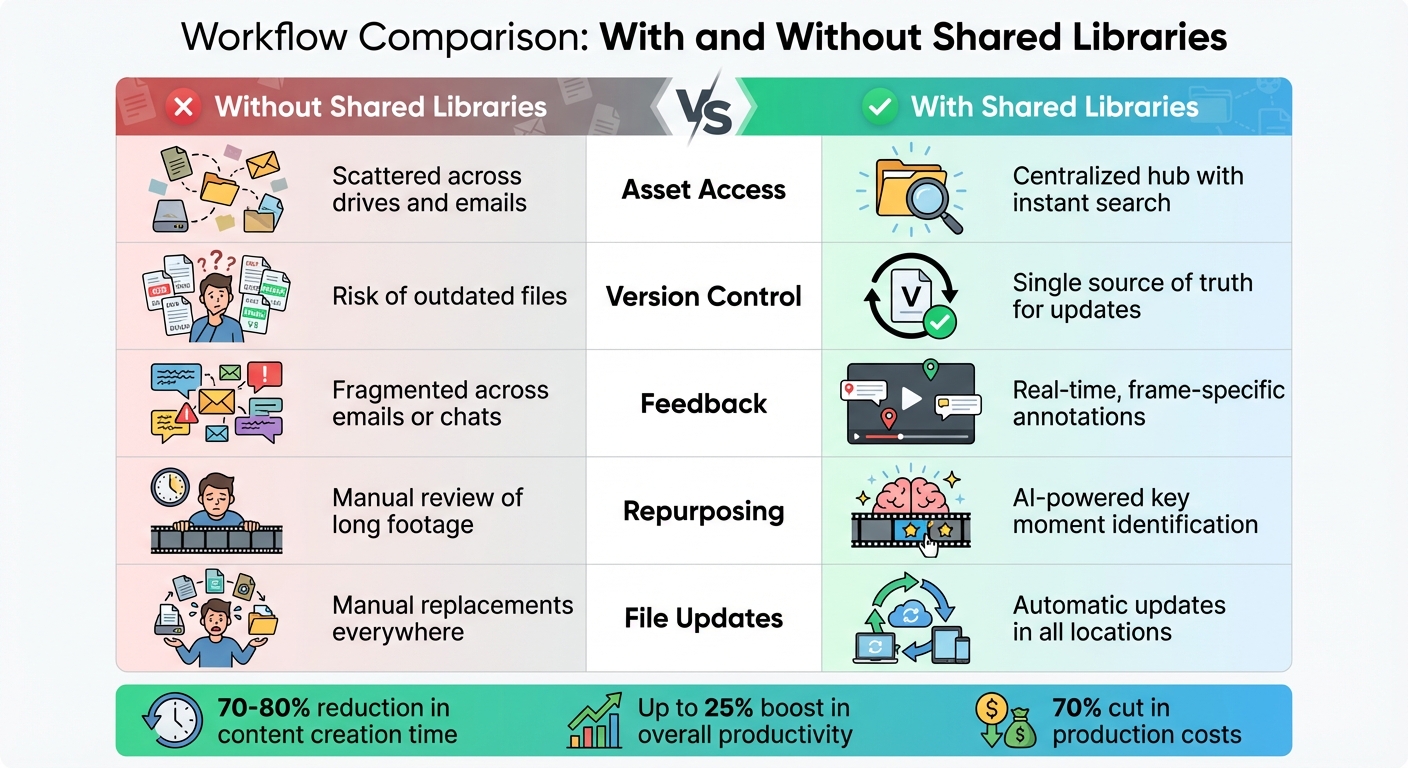
Video Workflow Comparison: Traditional vs Shared Libraries
Better Collaboration and Access
Shared libraries make teamwork smoother by centralizing file access and ensuring everyone works with the latest version of a file. Gone are the days of digging through endless emails or folders to find the right asset. This setup reduces version mix-ups and speeds up how quickly teams can update and repurpose videos. Features like time-stamped comments allow teams to pinpoint exact moments in videos that need changes. Additionally, access controls let managers decide who can view, edit, or publish sensitive content. When a master file is updated, all linked versions automatically sync, keeping everything consistent.
"Your video library can serve as a central source of truth for video in your organization. No matter where you post, embed, or share your video, it's all coming from the centralized hosting." - Vidyard
Faster Repurposing with AI
Shared libraries aren't just about better collaboration - they also make repurposing content faster and smarter. Platforms like OpenClip use AI to simplify video editing. Instead of manually combing through hours of footage, you can type something like "product demo highlights" into a natural language search and instantly find relevant clips. AI also organizes videos using metadata and tags, categorizing them by topics, speakers, or even performance metrics. This means you can quickly locate high-performing content for future campaigns. These tools can cut content creation time by 70–80%, enabling teams to double their output while slashing editing hours in half. Plus, by streamlining these processes, internal communication improves, potentially boosting overall productivity by up to 25%.
Workflow Comparison: With and Without Shared Libraries
Aspect Without Shared Libraries With Shared Libraries Asset Access Scattered across drives and emails Centralized hub with instant search Version Control Risk of outdated files Single source of truth for updates Feedback Fragmented across emails or chats Real-time, frame-specific annotations Repurposing Manual review of long footage AI-powered key moment identification File Updates Manual replacements everywhere Automatic updates in all locationsWithout a shared library, teams often lose valuable time chasing down files, managing outdated versions, and manually reviewing footage. A centralized library solves these issues, keeping everyone on the same page. Combined with AI tools, this system eliminates repetitive tasks, giving teams more time to focus on creative and strategic projects. It’s a shift from chaos to clarity, helping teams work smarter, not harder.
Conclusion
The shared libraries and AI tools discussed earlier have reshaped the way video content is repurposed, aligning perfectly with the fast-paced demands of modern video marketing. Shared libraries take what was once a chaotic and time-consuming process and turn it into an efficient, organized workflow. By centralizing assets and granting instant access to the right content, these libraries address the core challenges that often slow down social media teams. Switching from scattered files to a unified source of truth isn't just helpful - it’s critical for keeping up with the growing need for video content across multiple platforms.
OpenClip builds on this foundation by integrating shared library features with AI-driven automation. Instead of spending hours combing through footage, teams can now transform a 60-minute video into platform-ready clips in just 2–10 minutes. With an impressive 90%+ accuracy in identifying viral moments, OpenClip ensures you're not just churning out content but creating the right content. Features like automated captions, speaker detection, and adaptive formatting eliminate tedious technical tasks. This automation turns repurposing from a labor-intensive chore into a seamless process, reinforcing the guide’s overarching message.
Repurposing content isn’t just about efficiency - it delivers real results. It can boost organic traffic by 111.3% and cut production costs by up to 70%. Take JunkGuy, for example, who saw a 64% jump in subscriptions after adopting this approach. These numbers highlight how much more efficient teams can become with the right tools.
Whether you’re a solo content creator or part of a larger marketing team, shared libraries and AI automation empower you to achieve more with fewer resources. OpenClip makes this even easier with its free tier (30 minutes per month) or its Pro plan at $9/month, offering 180 minutes and priority processing. By integrating clipping, editing, and scheduling into a single platform, OpenClip eliminates the need for juggling multiple apps, allowing you to focus on strategy and creativity instead of repetitive technical work. The future of video marketing isn’t about working harder - it’s about working smarter. Tools like shared libraries and OpenClip bring that future within reach today, making the streamlined approach outlined in this guide a reality.
FAQs
How does AI make video repurposing faster and easier with shared libraries?
AI is changing the game for video repurposing by taking over tedious tasks and turning shared libraries into efficient tools. It analyzes uploaded videos to create searchable metadata - like transcripts, speaker labels, and topic tags - so you can quickly pinpoint the exact moments you need without wasting time scrolling. Once you’ve found the right clip, AI can reformat it for vertical or square layouts, add captions, and even suggest eye-catching thumbnails optimized for platforms like TikTok, Instagram Reels, and YouTube Shorts.
By automating these repetitive steps, AI frees up valuable time for marketers, making it easier to produce and share short-form, attention-grabbing content. OpenClip takes this a step further, allowing users to upload long-form videos, automatically identify standout moments, and store those clips in a shared library. This makes collaboration, quick access, and posting seamless, helping teams get the most out of every video.
How do I create a shared library in OpenClip?
If you're looking to set up a shared library in OpenClip, specific details on the process aren't available here at the moment. To get accurate instructions, it's best to consult OpenClip’s official documentation or setup guide. If additional help is needed, consider contacting OpenClip’s support team for direct assistance.
How do shared libraries ensure consistent branding in videos?
Shared libraries act as a one-stop shop for all your brand assets - logos, colors, fonts, graphics, and approved scripts - giving your team quick and easy access to the right files every time. With everything stored in a well-organized and searchable system, you can say goodbye to digging through messy folders or re-creating assets from scratch. Plus, version control and permissions ensure that only the most up-to-date, approved materials are used, minimizing the risk of outdated or off-brand content slipping through.
When it comes to repurposing videos for platforms like TikTok, Instagram Reels, or LinkedIn, shared libraries become even more valuable. They provide ready-to-use branding elements, ensuring every clip has a consistent look and feel. This not only reinforces brand recognition but also makes teamwork smoother, even for large groups. Tools like OpenClip take this further by automatically applying your brand templates to every video, allowing you to focus on crafting your story while keeping everything perfectly on-brand.
Turn one video into a week of content.
Try OpenClip free