By Mees de Beukelaar
AI Tools for Cross-Platform Video Publishing
Use AI to resize, caption, score, and schedule videos for TikTok, Reels, Shorts, X, and LinkedIn—cut editing time and keep brand consistency.
Originally published February 10, 2026
In this article
Sharing videos across multiple platforms can be overwhelming, but AI tools like OpenClip simplify the process. Creating platform-specific content manually takes time, but AI automates tasks like resizing, captioning, and scheduling. Here's what you need to know:
- Why it matters: Platforms like TikTok, Instagram Reels, YouTube Shorts, and LinkedIn have different formats and algorithms. Reaching multiple audiences improves engagement and shields you from changes in any single platform's rules.
- How AI helps: AI tools save time by resizing videos, generating captions, and identifying key moments for sharing. They also ensure consistent branding and streamline scheduling.
- OpenClip overview: OpenClip transforms long videos into ready-to-post clips optimized for TikTok, Instagram, YouTube, and more. Features include auto-resizing, transcription, and centralized scheduling, with plans starting at $0/month.
AI tools like OpenClip reduce editing time by up to 90%, helping creators and businesses focus on strategy while maintaining an active presence across platforms.
Repurposing Video Content Into Multiple Mediums with AI Tools
OpenClip: AI-Powered Video Repurposing and Scheduling
OpenClip is a prime example of how AI can simplify the process of publishing videos across multiple platforms, saving creators and businesses hours of manual effort.
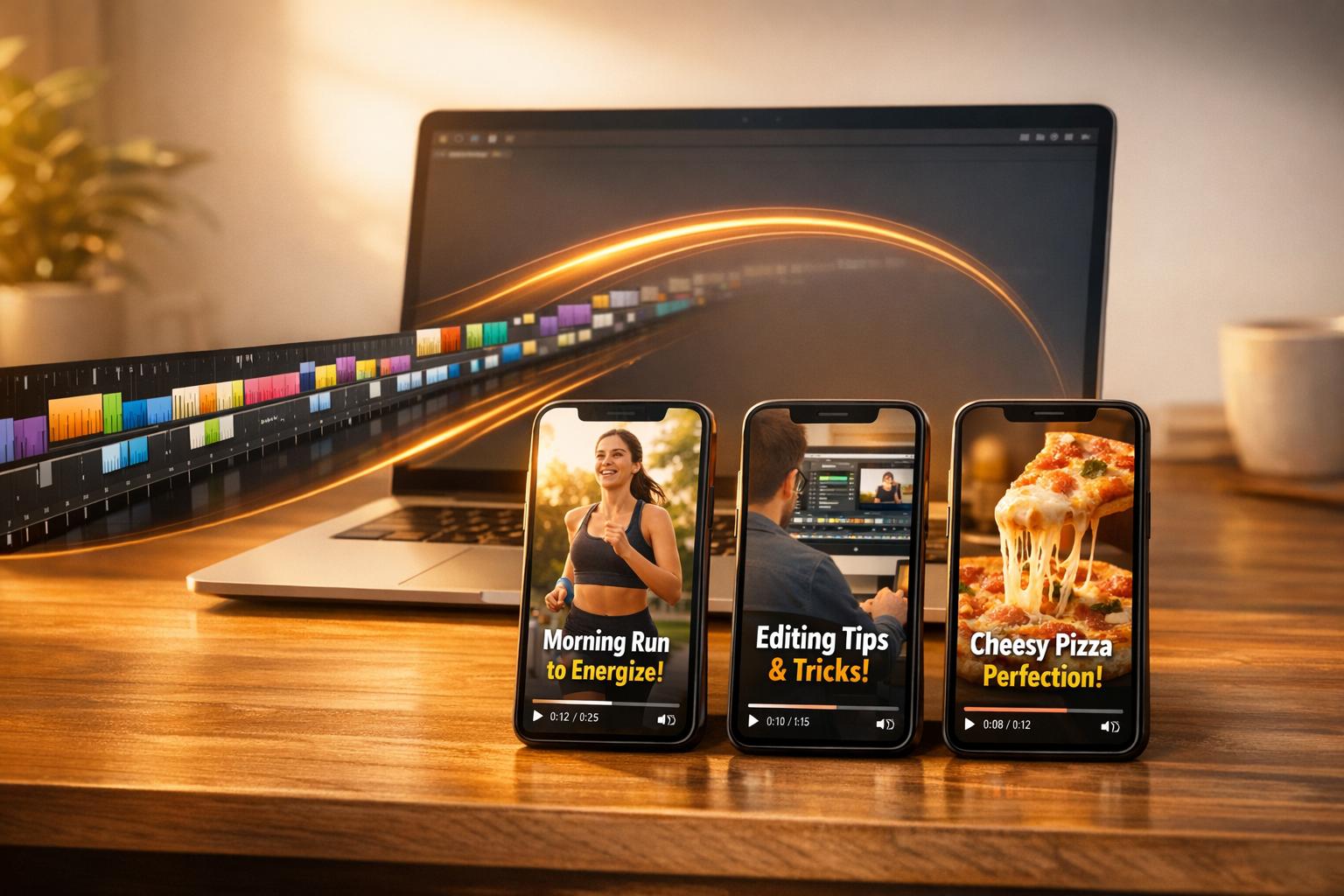
This tool takes long-form videos and transforms them into polished, ready-to-publish clips. Forget the hassle of editing, resizing, and uploading - OpenClip uses AI to analyze your footage, identify attention-grabbing moments, and create content tailored for platforms like TikTok, Instagram Reels, YouTube Shorts, X, and LinkedIn. It’s perfect for anyone looking to maintain a consistent presence across these platforms.
OpenClip handles key tasks like transcription, speaker detection, and clip scoring automatically. Plus, it provides a brief explanation for why each clip was chosen, giving you confidence in the final product while still leveraging the power of automation. Let’s take a closer look at some of its standout features.
Key Features of OpenClip
One of OpenClip’s standout tools is Smart Reframe, which automatically adjusts videos to the correct aspect ratios for various platforms: 9:16 for TikTok and Reels, 1:1 for Instagram and LinkedIn, and 16:9 for YouTube. It keeps speakers centered and captions within safe zones, so you don’t have to manually resize or tweak your content.
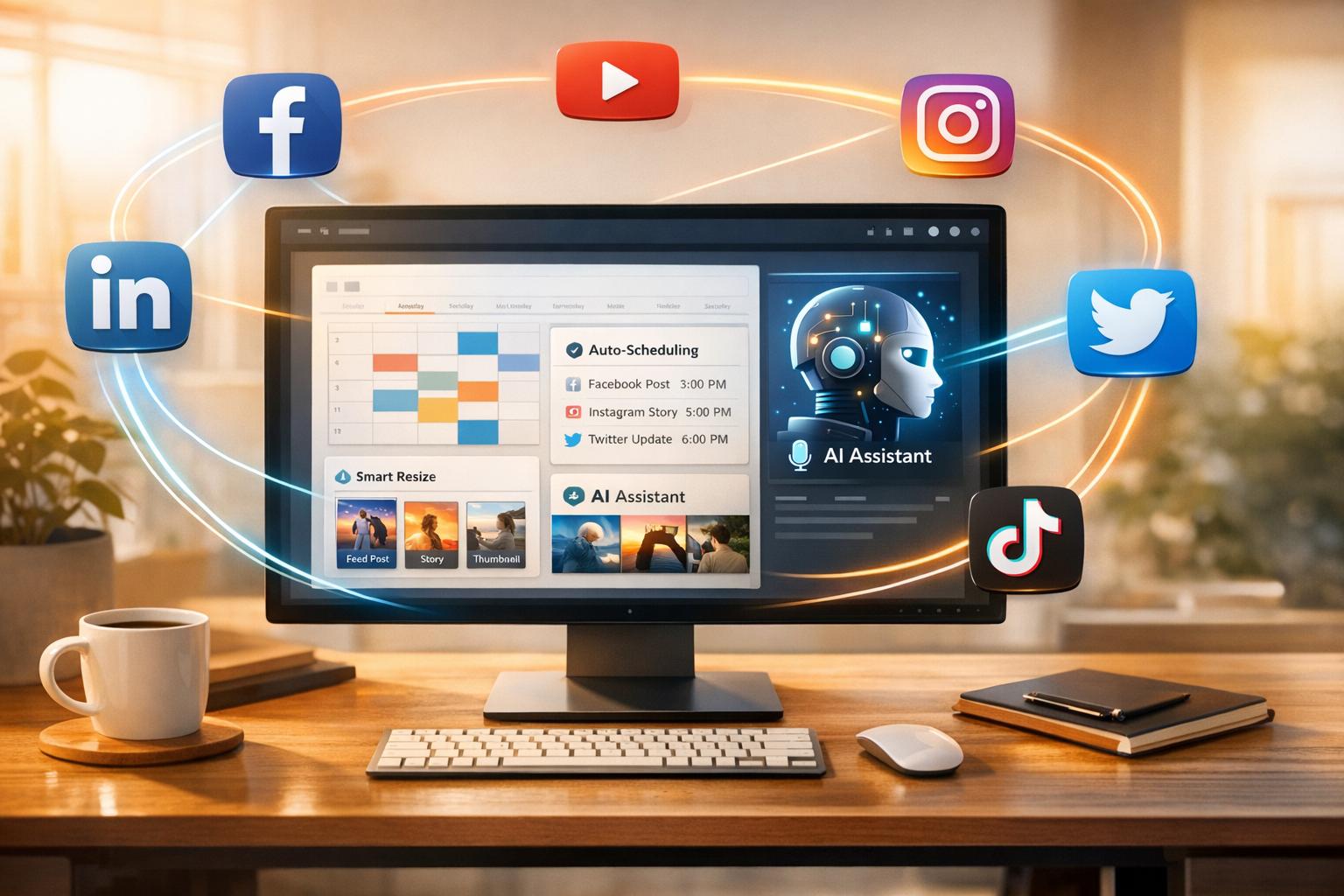
The platform also creates a lineup of suggested clips for you to review and approve before scheduling them for posting. From a single dashboard, you can queue content for platforms like TikTok, Instagram Reels, YouTube Shorts, X, and LinkedIn.
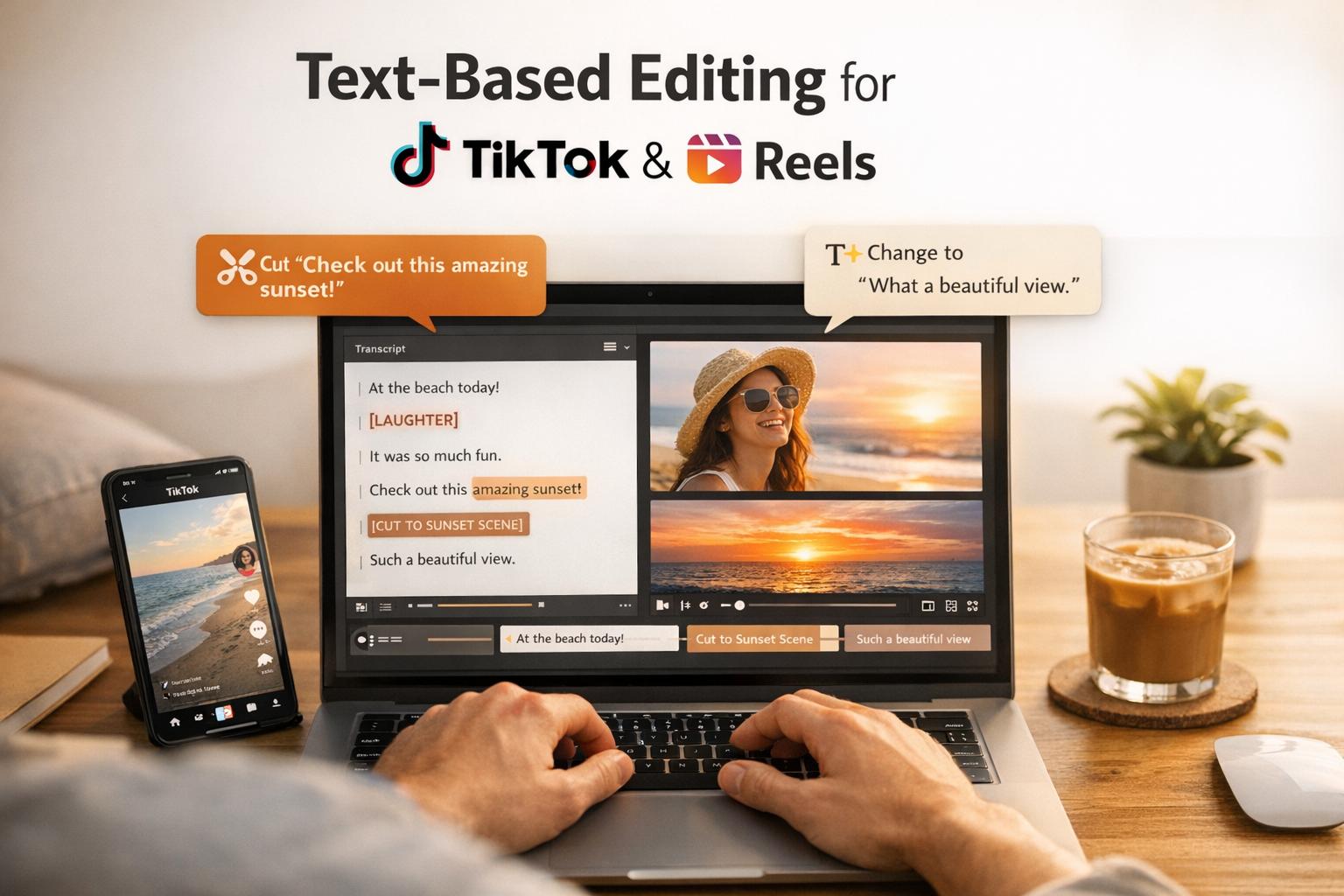
With text-based editing, you can fine-tune clips by making changes directly to the transcript - cutting out filler words or silences with ease. Collaboration tools and priority queues make it a great option for teams managing high-volume production.
OpenClip Pricing Plans
OpenClip offers pricing options to suit a range of needs, from individual creators to large teams.
Plan Price Processing Time (per month) Brand Profiles Key Features Free $0/month 30 minutes 1 Watermark on exports, standard queue Pro $9/month 180 minutes Up to 3 No watermark, priority queue Business $29/month 360 minutes Unlimited Team invites, highest priority queueThe Free plan is great for testing the platform, though its watermark might not work for professional use. For solo creators looking to publish frequently, the Pro plan removes the watermark and offers six times the processing capacity. Agencies and teams managing multiple clients will find the Business plan ideal, with ample processing time and features tailored for larger-scale operations.
Benefits of Using AI for Video Publishing
Save Time Through Automation
Editing videos manually can be a massive time drain, eating into hours that could be spent on creative work. AI tools, however, can cut video editing time by up to 90%. Tasks that once took hours can now be completed in mere minutes. For example, top AI platforms can process videos 10 times faster than manual methods, transforming a 60-minute video into shareable clips in less than 5 minutes.
By automating these tedious processes, premium AI tools can save creators up to 8 hours every week. Over the course of a year, that adds up to a staggering 200 hours saved. And with bulk processing capabilities, you can queue multiple long-form videos at once, letting the AI generate dozens of clips while you focus on more strategic tasks. Beyond saving time, these tools also ensure your content stays visually and stylistically consistent.
Maintain Consistency Across Platforms
Posting content on TikTok, LinkedIn, and Instagram requires meeting each platform’s unique formatting requirements. AI tools simplify this process by automatically applying your brand assets - like logos, fonts, and color palettes - to every clip. Upload these assets once, and the AI ensures they’re consistently applied across all your content. This helps avoid mistakes like using off-brand visuals or incorrect hashtags.
For teams, shared brand templates lock in key design elements, ensuring no one accidentally strays from your brand guidelines. AI can even tailor your messaging for different platforms while keeping your core voice intact. For instance, it can create casual captions for TikTok while crafting more polished, professional descriptions for LinkedIn - all from the same source video. This combination of time efficiency and brand alignment helps maximize your content’s impact.
Better Engagement and Reach
AI doesn’t just save time and maintain consistency - it also helps boost engagement by identifying the most shareable moments in your videos. Using data-driven insights like visual cues, audio sentiment, and trending topics, AI pinpoints the clips most likely to resonate with your audience. As a result, AI-curated content generates 63% more shareable clips and is 57% less likely to include incoherent material compared to traditional editing methods.
Timing is everything on social media. For instance, posting within 30 seconds of a trend spike on TikTok can lead to a 40% boost in algorithm visibility. Similarly, hitting Instagram Reels’ peak hours (7–9 PM local time) can increase your reach by 65%. Tools like OpenClip make this easier by letting you schedule posts to go live at these optimal times - all from one dashboard.
OpenClip also gives you a competitive edge with its smart clip scoring feature, which highlights videos with the highest potential. Combined with features like automated reframing that keeps speakers perfectly centered in vertical formats, your content not only looks polished but also performs better across every platform.
sbb-itb-5598afdComparing AI Tools for Cross-Platform Video Publishing
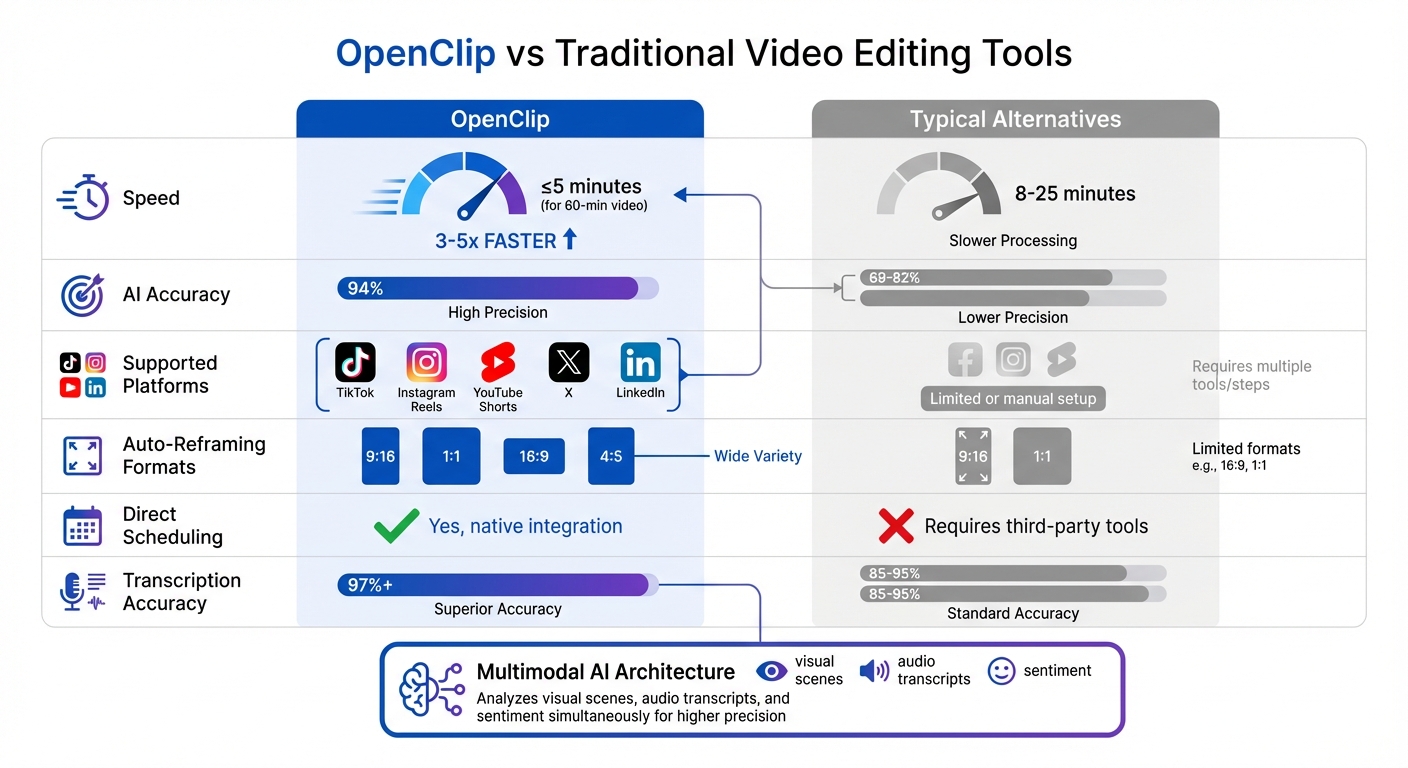
OpenClip vs Traditional Video Editing Tools: Speed, Accuracy & Platform Support Comparison
Feature Comparison
When it comes to AI tools for video publishing, factors like speed, accuracy, and platform compatibility can make or break your workflow. Here's how OpenClip stacks up against typical alternatives:
Feature OpenClip Typical Alternatives Processing Speed (60-min video) ≤ 5 minutes 8–25 minutes AI Accuracy 94% 69–82% Supported Platforms TikTok, Reels, Shorts, X, LinkedIn Limited or manual setup Auto-Reframing Formats 9:16, 1:1, 16:9, 4:5 Often limited formats Direct Scheduling Yes, native integration Requires third-party tools Transcription Accuracy 97%+ 85–95%What makes OpenClip stand out is its multimodal AI architecture. It doesn't just process one type of data - it analyzes visual scenes, audio transcripts, and overall sentiment at the same time. This layered approach delivers a higher level of precision compared to tools that rely on single-mode analysis. The result? Less wasted content and more clips that resonate with your audience.
These features make OpenClip a strong choice for creators who prioritize speed and accuracy while managing multiple platforms.
What to Consider When Choosing a Tool
Beyond the features, there are a few practical aspects to weigh when picking the right tool. First, think about cost efficiency. Don’t just focus on the monthly subscription price - calculate the cost per video. For example, if you’re editing 20 videos a month on a $29 plan, each video costs $1.45. But this only holds true if the tool can handle your workload without forcing you into an upgrade.
Speed is another critical factor. Timing is everything on platforms like TikTok, where posting within 30 seconds of a trend spike can increase your visibility by 40%. Make sure the tool supports batch processing, so you can queue multiple videos at once. This can save you hours when repurposing content from your library.
Integration is equally important. Tools with native scheduling capabilities, like OpenClip, allow you to publish directly to TikTok, Reels, Shorts, X, and LinkedIn without relying on third-party apps. This simplifies the process and keeps your workflow seamless.
Lastly, don’t overlook the fine print. Double-check the terms of service for commercial rights and licensing. Some platforms have vague policies around content ownership, which could lead to headaches down the line if you're creating branded content or working with clients. Ensuring clarity here will save you trouble later.
Conclusion: Using OpenClip for Your Cross-Platform Video Strategy
Key Takeaways
Publishing video content across multiple platforms can save both time and money, and OpenClip's AI tools make the process even more efficient. By automating video editing tasks, OpenClip can reduce editing time by up to 90%, giving creators back over 10 hours each week.
The platform’s end-to-end automation is a real game-changer. All you need to do is upload your long-form video, and OpenClip takes care of the rest: generating clips, drafting captions, and scheduling posts for different platforms - all in just a few steps. Features like smart clip scoring help you identify the most engaging parts of your content, while text-based editing allows you to trim clips directly from the transcript, eliminating the need for tedious timeline scrubbing.
Consistency across platforms can significantly enhance engagement, with rates increasing by 2–3x. Considering that YouTube Shorts alone is projected to hit 70 billion daily views in 2024, the potential audience reach is massive. OpenClip’s intelligent reframing ensures your videos look polished and platform-appropriate by automatically formatting them for each channel’s native specifications.
Armed with these tools, you’re well-positioned to create an impactful video strategy.
Next Steps
To make the most of OpenClip, start by batching your content creation. Record your long-form videos in one session, then use the platform to generate a week’s worth of clips in one go. Focus on clips with the highest AI scores and tweak captions to match the tone of each platform - for example, keep it fun and casual on TikTok, but opt for a more professional tone on LinkedIn.
If you’re curious to try it out, OpenClip offers a free plan that includes 30 minutes of processing per month. Paid plans, which start at $9/month, provide 180 minutes of processing time and remove watermarks. Visit openclip.app to explore how OpenClip can simplify your workflow and take your video strategy to the next level.
FAQs
How does OpenClip keep videos consistent across different social media platforms?
OpenClip leverages advanced AI to transform your long-form videos into polished, platform-ready clips. It takes care of resizing and reformatting, creating short, engaging content in formats like vertical, square, or horizontal - ideal for platforms such as TikTok, Instagram Reels, YouTube Shorts, LinkedIn, and others.
The AI pinpoints standout moments in your videos, generating clips complete with precise captions and proper formatting to ensure your message remains sharp and visually appealing. Beyond that, OpenClip simplifies the scheduling and publishing process, timing each clip to maximize audience engagement. This streamlined approach preserves the quality, tone, and branding of your content across all platforms.
What are the benefits of using AI for editing and publishing videos on social media?
AI-driven video editing and publishing tools are a game-changer for creators, offering automation that takes care of repetitive tasks like clipping, trimming, and resizing videos for different platforms. Instead of spending hours manually editing, these tools can turn long-form content into short, attention-grabbing clips tailored for platforms like TikTok, Instagram Reels, and YouTube Shorts. The result? Less time spent editing and more time focusing on your creative vision.
Beyond saving time, these tools also help fine-tune content for specific platforms. They analyze trends, identify the most engaging moments, and automatically adjust formats - whether vertical, square, or another layout - so your videos are optimized for maximum exposure. On top of that, they simplify cross-platform publishing by automating schedules and ensuring consistent posting. This not only boosts efficiency but also helps creators connect with a wider audience and maintain an active online presence.
How does OpenClip's smart clip scoring boost video engagement?
OpenClip’s smart clip scoring is designed to elevate video engagement by pinpointing the most impactful moments in your content. These standout segments are then crafted into short, eye-catching clips tailored for social media.
By zeroing in on the most engaging parts of your videos, OpenClip helps your content connect with viewers, driving more shares, likes, and interactions on platforms like TikTok, Instagram Reels, YouTube Shorts, X, and LinkedIn.
Turn one video into a week of content.
Try OpenClip free