By Mees de Beukelaar
Best AI Tools for Silence and Filler Word Removal
Compare AI tools that remove silences and filler words to speed up audio/video editing and produce social-ready clips.
Originally published December 26, 2025
In this article
Editing audio and video is time-consuming, especially when dealing with filler words and silences. AI tools now simplify this process, saving hours of manual work. These tools use advanced tech to clean up recordings quickly and accurately, helping creators deliver polished content that keeps audiences engaged. Whether you're a YouTuber, podcaster, or business professional, these tools are game-changers for improving clarity and efficiency.
Key Takeaways:
- Filler Words & Silences: AI tools remove "um", "uh", and dead air, improving audio flow.
- Speed: Process a 30-minute recording in under 2 minutes.
- Engagement: Cleaner content boosts viewer retention and platform reach.
- Top Tools: OpenClip, Descript, TimeBolt, and Cleanvoice each offer unique features for different needs.
Quick Comparison:
Tool Editing Method Best For Starting Price OpenClip AI-based clipping Social media creators $9/month Descript Text-based editing Podcasters, all creators Free TimeBolt Waveform analysis Professional editors $15/month Cleanvoice Audio-focused AI Audio-only projects $11 (pay-as-you-go)These tools reduce editing time by up to 90%, helping you focus on creating more content. Choose based on your workflow, budget, and content type.
How To Use AI To Remove Filler Words, Gaps, And Tangents In Videos (Descript Tutorial)
OpenClip Overview
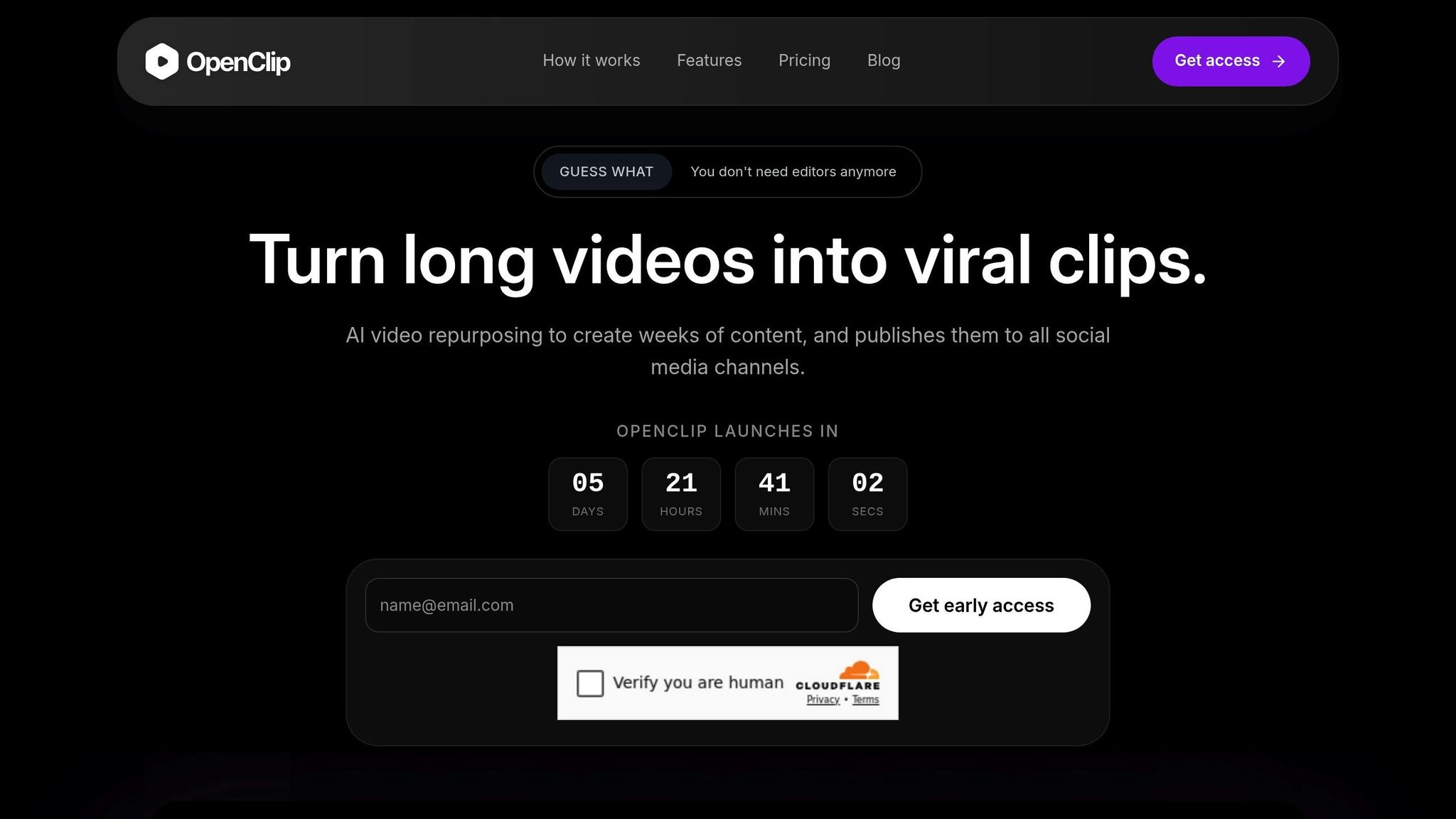
OpenClip is a browser-based AI platform tailored for content creators and businesses worldwide. Unlike many tools that focus solely on cleaning up audio, OpenClip takes it a step further by integrating silence and filler word removal into a comprehensive video repurposing workflow. Designed with social media content in mind, it processes videos entirely in your web browser - no downloads or installations needed. This accessibility lays the foundation for its impressive range of features.
Key Features of OpenClip
One standout feature is the "Enhance Audio" tool, which automatically handles both silences and filler words. It removes common phrases like "um", "uh", "like", and "you know", while trimming awkward pauses. The tool also syncs audio and video seamlessly, offering customizable silence thresholds so intentional pauses are preserved while dead air is eliminated.
But OpenClip doesn’t stop at audio cleanup. Its ClipAnything model identifies shareable, attention-grabbing moments across various content types, including vlogs, gaming streams, sports commentary, and interviews. Meanwhile, the ReframeAnything technology uses AI object tracking to resize horizontal footage into vertical formats, keeping the main subject perfectly centered. To top it off, the platform generates captions with over 97% accuracy and applies brand-specific templates - complete with your logos, fonts, and colors - automatically.
"It used to take days to create clips. Now it takes us minutes to create them." - Lewis Howes, Creator
Benefits for Content Creators
OpenClip’s features aren’t just technical - they deliver real results for creators. For instance, the platform can process a 30-minute recording in under 2 minutes, drastically cutting down on manual editing time. Jason Lemkin, founder of SaaStr, shared his enthusiasm:
"The only AI tool that I've found helpful so far is OpusClip. It can do something that I don't have time to do. I'm a super fan."
Creators using OpenClip have seen tangible improvements in engagement metrics. Users report a 266% boost in YouTube "shown-in-feed" visibility, a 57% increase in watch time, and completion rates climbing from 1–3% to over 12%. Additionally, the automation tools enable teams to publish content five times faster than traditional methods, freeing up time for strategy and audience interaction.
Pricing Plans and Accessibility
OpenClip’s pricing structure is designed to fit a variety of needs. There are three tiers available:
- Free Plan: Includes 30 minutes of processing time per month and one brand profile, though exports come with a watermark.
- Pro Plan: Starts at $9 per month, offering 180 minutes of processing, up to three brand profiles, and priority processing without watermarks.
- Business Plan: Priced at $29 per month, it provides 360 minutes of processing, unlimited brand profiles, team collaboration tools, and API access for integrating workflows.
New users are welcomed with a 7-day free trial, which includes 90 minutes of processing time - enough to create about 30 clips - without requiring credit card information. OpenClip is also available in multiple languages, making it accessible to creators across the globe.
Other AI Tools for Silence and Filler Word Removal
There are several tools available that specialize in cleaning up audio by removing unwanted pauses and filler words. Each of these tools offers its own approach to improving audio clarity, making them useful for different workflows and needs.
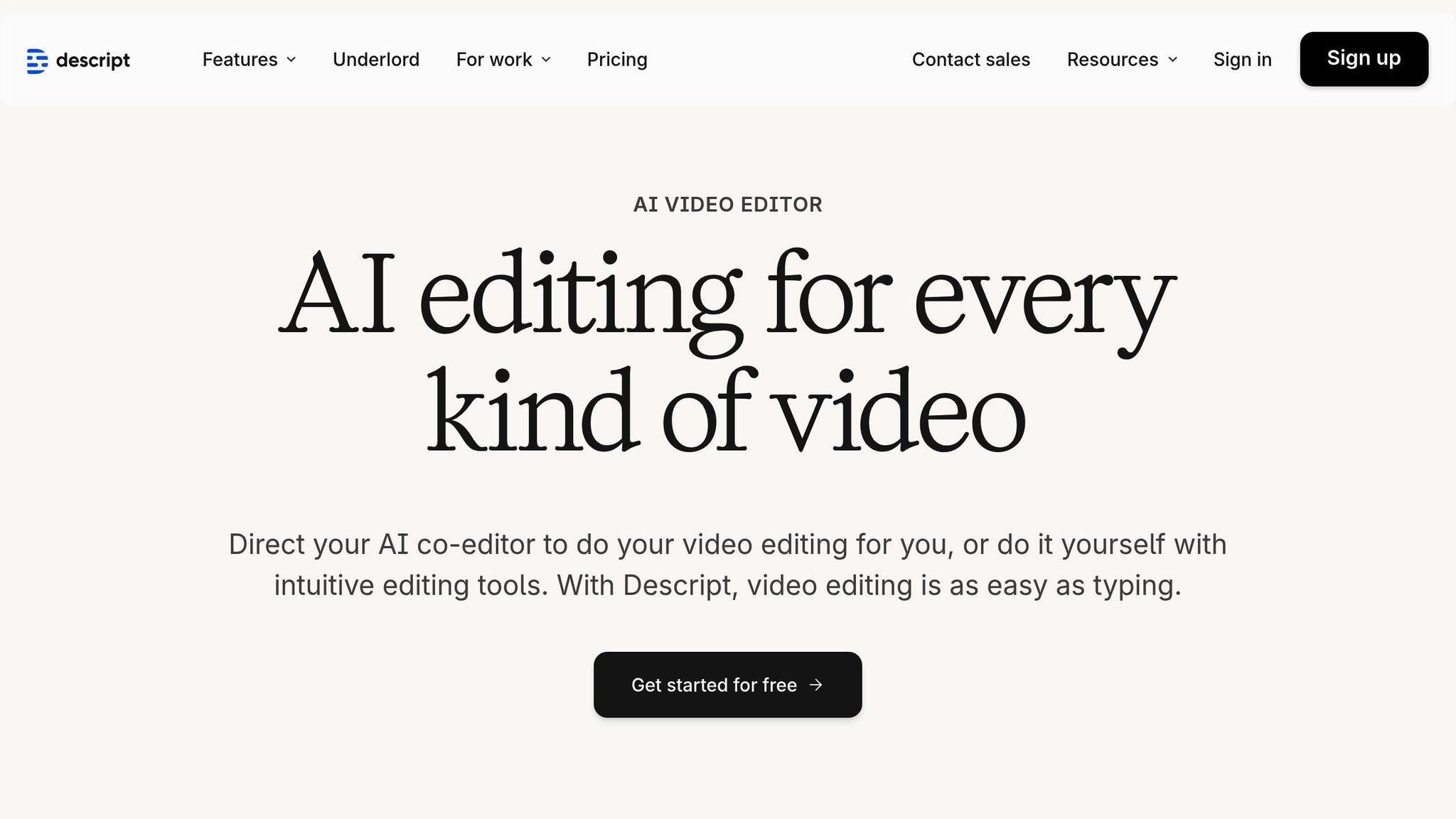
Descript
Descript takes a text-based editing approach, making audio and video editing as straightforward as editing a document. Once you upload your file, the platform generates a transcript, allowing you to remove filler words like "um", "uh", "like", and "you know" by simply deleting them from the text. These edits are instantly reflected in the audio.
One standout feature is "Shorten word gaps", which eliminates silences and smooths out transitions. If any cuts feel abrupt, Descript's AI-powered "Regenerate" tool samples nearby audio to create seamless transitions. With a 4.6-star rating on G2, Descript has been recognized as a top software for video editing in 2025.
"With Descript I'll be able to at least double my content output since editing is taking one-quarter the time it used to." - Donna B., Content Creator
Descript offers a free plan with 1 media hour per month and 5 uses of silence/filler removal. Paid plans include the Hobbyist plan at $16/month (10 media hours and 20 uses) and the Creator plan at $24/month (30 media hours with unlimited silence removal). For those who prefer waveform-based editing, TimeBolt provides a different solution.
TimeBolt
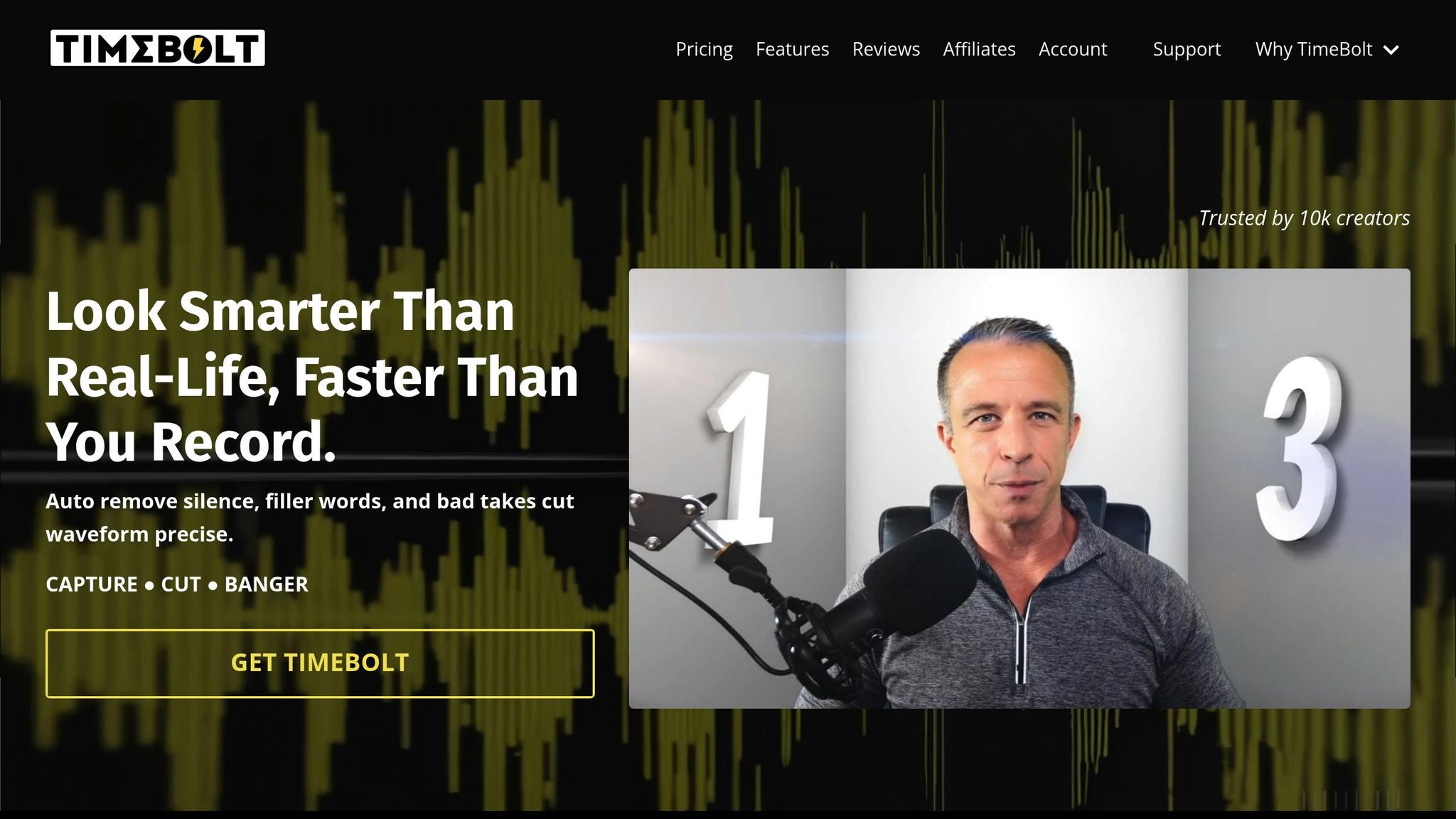
TimeBolt focuses on precision by analyzing waveforms instead of relying on transcription. This approach delivers highly accurate silence detection - 20 times more precise than transcription-based methods - reducing the chance of cutting off word endings. Impressively, TimeBolt can process an hour-long video in just 13 seconds.
The tool includes the UMCHECK feature to target filler words and a "FastForward" option, which speeds up non-silent sections by up to 4x instead of removing them entirely. TimeBolt also supports seamless integration with editing software like Premiere Pro, Final Cut Pro, and DaVinci Resolve through XML file exports.
"I edited all 3 episodes in the amount of time I usually edit one in Descript. I haven't saved this much time since the invention of the word processor." - Bob, YouTuber @Excelerator
With a 4.52-star rating based on 132 reviews, TimeBolt offers a free trial with limited exports. Pricing includes a monthly plan at $15, an annual plan at $79, or a lifetime license for $129. For users prioritizing natural-sounding audio, Cleanvoice offers another compelling option.
Cleanvoice
Cleanvoice is designed to improve speech quality while maintaining a natural sound. Its "Smart Remover" eliminates filler words and silences while adding subtle background room noise, preventing the audio from sounding overly edited.
In addition to removing "ums", "ahs", and other fillers, Cleanvoice tackles mouth sounds, stutters, and background noise. It also ensures that multi-track podcast recordings remain perfectly synchronized. The tool supports multiple languages, including German and French, and can handle accents like Australian and Irish. Currently, over 15,000 podcasters use Cleanvoice to streamline their editing process.
Cleanvoice provides 30 minutes of free processing credits. After that, users can opt for a pay-as-you-go model at $11 for 5 hours of processing or subscribe for $11 per month to get 10 hours of processing.
sbb-itb-5598afdFeature and Pricing Comparison
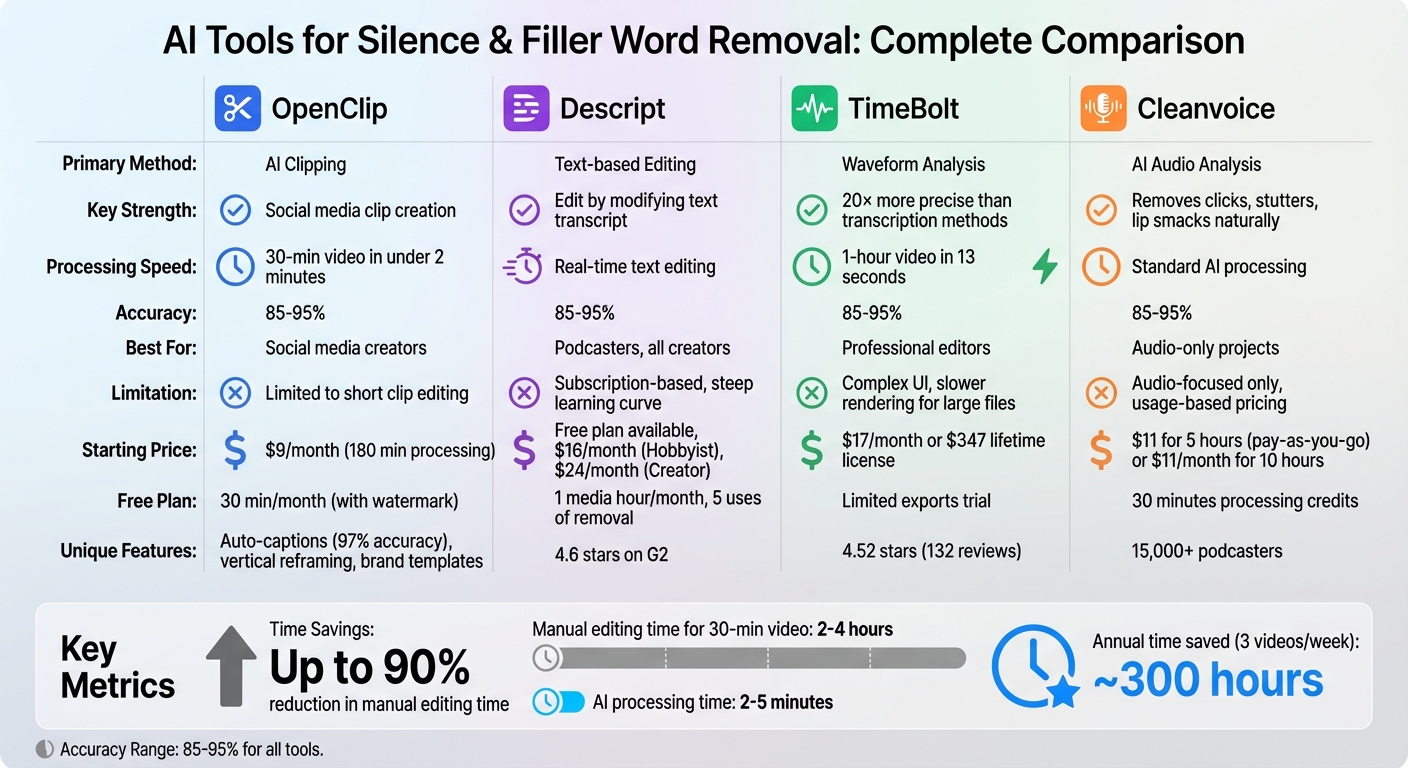
AI Audio Editing Tools Comparison: Features, Pricing, and Best Use Cases
Each of these tools tackles silences and filler words in its own way, tailored to different workflows. Descript relies on AI transcription, offering a text-based editing approach where deleting text removes unwanted gaps. TimeBolt uses local waveform analysis, boasting 20× greater precision and processing one hour of video in just 13 seconds. Cleanvoice zeroes in on audio, addressing imperfections like mouth clicks and stutters. Meanwhile, OpenClip combines silence and filler removal with automated clipping, making it ideal for repurposing long videos into social media-ready clips.
These unique methods naturally lead to differences in pricing and features. OpenClip Pro starts at $9 per month, providing 180 minutes of processing without watermarks. Descript offers a free plan with limited features, scaling up to $16 per month for 10 hours of transcription and 20 uses of removal tools, or $24 per month for unlimited silence removal. TimeBolt costs $17 per month or can be purchased as a one-time lifetime license for $347. Cleanvoice operates on a pay-as-you-go model, charging $11 for 5 hours of processing or $11 per month for 10 hours. These pricing structures reflect the tools' distinct strengths and trade-offs.
Comparison Table
Tool Primary Method Key Strength Limitation Starting Price OpenClip AI Clipping Great for creating social media clips Limited to short clip editing $9/mo Descript Text-based Editing Edit by modifying text; includes Studio Sound Subscription-based; steep learning curve Free ($0) TimeBolt Waveform Analysis Fast, precise cuts with local processing Complex UI; slower rendering for large files $17/mo Cleanvoice AI Audio Analysis Removes clicks, stutters, and lip smacks Focused on audio; usage-based pricing $11 (pay-as-you-go)Ultimately, the right tool depends on your priorities - whether it's speed, simplicity, audio quality, or optimizing content for social media. These AI-powered tools typically achieve an accuracy rate of 85% to 95% and can cut manual editing time by up to 90%.
How to Choose the Right Tool for Your Workflow
Selecting the right tool for your workflow depends on a mix of factors, including the type of content you create and how you approach editing. For social media creators who need to transform long videos into bite-sized clips, OpenClip is a top choice. It handles everything in one streamlined process - silence removal, clipping, vertical reframing, and auto-captioning - all designed to save time and effort. Podcasters, on the other hand, might gravitate toward Descript, which allows editing by simply deleting words from a transcript. If you're a professional video editor working with software like Premiere Pro or Final Cut Pro, tools like TimeBolt are a game-changer. They export XML files that integrate directly into your timeline, cutting down pre-processing time from hours to just minutes.
Beyond functionality, it's essential to weigh your production volume and budget. If you're producing three videos a week and spending two hours on jump cuts for each, automation could save you around 300 hours a year. For occasional editors, Cleanvoice offers a pay-as-you-go pricing model, making it a practical option. High-volume creators, however, should look for tools with batch processing capabilities to keep up with a steady publishing schedule.
Your level of technical expertise also plays a role. Beginners often prefer browser-based or text-based tools that require no installation, while experienced editors may need advanced features like exporting EDLs for more detailed work. For example, manually removing silence from a 30-minute talking-head video can take 2 to 4 hours, but AI tools can handle the same task in just 2 to 5 minutes. To get the best results, start with high-quality source audio. Clean recordings with consistent levels improve AI detection accuracy, which typically ranges from 85% to 95%. Adding a small buffer - around 0.1 to 0.3 seconds - around cuts can also help maintain a natural conversational flow. Always review the output to catch missed context or intentional pauses. Many platforms offer free trials or limited free tiers, so take advantage of these to test whether a tool aligns with your needs and speaking style before committing.
For creators focused on repurposing content for social media, OpenClip stands out as an all-in-one solution. It handles automated clipping, removes silences and filler words, reframes videos for TikTok and Reels, and even schedules posts across platforms. This comprehensive approach eliminates the hassle of juggling multiple tools, keeping your content pipeline efficient and your workflow smooth.
Conclusion
In today’s content-driven world, precision editing isn’t just a nice-to-have - it’s a must. Thanks to AI tools, tasks that once took 90 minutes of manual effort can now be reduced to a quick review session, saving creators valuable time for crafting strategies, writing scripts, and perfecting their storytelling.
OpenClip stands out as a versatile tool, ideal for transforming long-form content into engaging social media clips. While podcasters and professional editors may find other tools suited to their specific workflows, OpenClip shines with its ability to handle both audio cleanup and visual adjustments seamlessly. This efficiency not only speeds up the editing process but also helps create content that keeps audiences hooked.
Eliminating filler words is another game-changer, especially in those critical first 3–5 seconds when viewer attention is on the line. Clean, concise edits show professionalism and demonstrate respect for your audience’s time.
For smoother results, record with consistent, high-quality audio and leave a 0.1–0.3 second buffer around cuts to maintain a natural rhythm. Before committing to any tool, take advantage of free trials or limited free options to ensure it aligns with your speaking style and production needs.
Whether you’re churning out multiple videos a week or focusing on daily social media content, automating tasks like silence removal and filler word editing can give you a serious edge, helping you produce polished, high-quality content faster.
FAQs
How can AI tools make audio and video editing faster and easier?
AI tools have transformed audio and video editing by taking over time-consuming tasks like cutting out silences and filler words (um, uh, you know). Using advanced speech-to-text technology and machine learning, these tools can identify and remove unnecessary segments while keeping the speaker's delivery smooth and natural. What once required hours of meticulous manual work can now be completed in just minutes.
But these tools don’t stop at trimming. Many also sync edited audio with video, adjust timestamps automatically, and offer text-based editors for precise tweaks. Features such as automatic transcription, speaker identification, and multi-format clip creation make the process even more efficient. This allows creators to spend less time on repetitive tasks and more time crafting their narratives. The end result? Professional-quality content that’s ready to publish in a fraction of the time.
What makes OpenClip a valuable tool for social media creators?
OpenClip takes the hassle out of content creation by turning lengthy videos into platform-ready clips designed for TikTok, Instagram Reels, YouTube Shorts, X (formerly Twitter), and LinkedIn. Using AI, it transcribes videos, identifies speakers, and pinpoints the most engaging moments - saving creators countless hours of tedious editing.
But it doesn’t stop there. OpenClip also simplifies the posting process by letting users schedule and publish content across multiple platforms, all from one convenient dashboard. This streamlined approach helps creators and teams repurpose content effortlessly while keeping a consistent posting rhythm.
What’s the best way to choose an AI tool for editing silences and filler words?
To choose the best AI editing tool, start by figuring out what you need. Are you editing long-form content like webinars or focusing on short clips for TikTok or Instagram? Make sure the tool supports the content length and formats you require. Then, consider the tasks you want automated - like cutting silences, removing filler words, creating transcripts, identifying speakers, or even scheduling posts. Also, think about how much control you prefer. Some tools let you tweak edits manually, while others offer a more automated, hands-off experience.
OpenClip streamlines all of this. Its AI takes care of removing silences and filler words, generates platform-ready clips for TikTok, Reels, and YouTube Shorts, and even manages transcription, speaker identification, and scheduling - all within a single, user-friendly dashboard. With OpenClip, you can focus on crafting amazing content without juggling multiple tools.
Turn one video into a week of content.
Try OpenClip free