By Mees de Beukelaar
Top AI Tools for Silence Removal
Compare top AI silence removal tools and how they detect and trim pauses, remove filler words, and speed up editing for social and long-form videos.
Originally published December 25, 2025
In this article
Editing videos often involves removing unnecessary silences to keep your audience engaged, especially on fast-paced platforms like TikTok, Instagram Reels, and YouTube Shorts. AI-powered tools simplify this process by automatically detecting and cutting out pauses, saving creators hours of manual work. Popular options like Descript, Timebolt, and OpenClip offer features such as customizable silence thresholds, filler word removal, and fast processing speeds. These tools are ideal for editing podcasts, webinars, tutorials, and social media clips, helping you improve video flow and retention rates.
Here’s a quick overview of what these tools offer:
- Descript: Text-based editing, filler word removal, and transcript generation. Free and paid plans start at $12/month.
- Timebolt: Fast silence removal for long videos, with one-time licenses or subscriptions starting under $100.
- OpenClip: Combines silence removal with AI tools for creating platform-ready clips. Plans start at $9/month.
Each tool has strengths tailored to different workflows, from beginners seeking simplicity to professionals needing advanced features. By testing these tools on your content, you can find the one that fits your needs and boosts your editing efficiency.
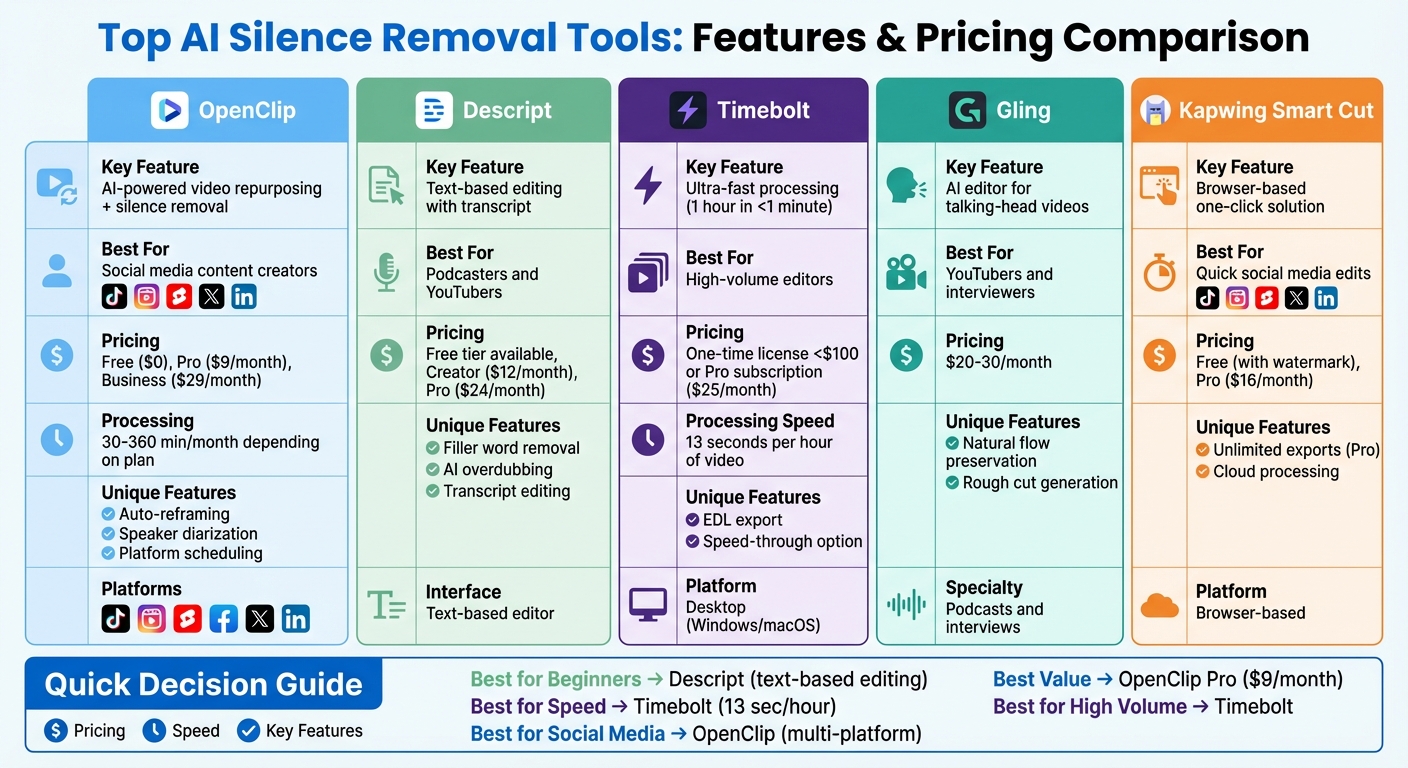
Top AI Silence Removal Tools Comparison: Features and Pricing
Remove Filler Words From Videos in Seconds
How AI Silence Removal Works
Fine-tuning video pacing is a game-changer for repurposing content on social media.
Silence Detection and Machine Learning
AI-powered silence removal works by analyzing audio waveforms to identify segments where sound levels drop below -35 to -45 dB for 0.2 to 1.0 seconds. While traditional methods rely on fixed thresholds to quickly cut low-volume sections, they often disrupt natural pauses in speech.
Modern tools take this a step further by using machine learning models trained on vast amounts of speech data. These models don’t just rely on volume - they consider pause length, surrounding audio energy, breathing sounds, and even the phonetic context. This allows them to distinguish between meaningful pauses, like a dramatic pause before a punchline, and unnecessary silence. Some tools even highlight filler words in transcripts, giving creators the option to remove specific segments while keeping small buffers around cuts to maintain a natural rhythm.
Most platforms offer adjustable settings for thresholds, durations, and sensitivity, with the added convenience of saving presets for consistent results. This level of customization ensures that the pacing feels natural while enhancing the overall flow of the content.
Improving Viewer Retention
On platforms like TikTok, Reels, and Shorts, even brief silences can cause viewers to lose interest. Tightening the pacing and increasing the density of information per second helps grab attention during those crucial opening moments and keeps viewers engaged longer. By removing unnecessary gaps, creators can boost view durations and completion rates while significantly reducing the time spent on manual editing. This makes it easier to produce platform-specific clips quickly.
To avoid an unnatural or "robotic" feel, advanced tools preserve tiny buffers - just a few frames - around each cut, ensuring the flow remains smooth. Some platforms also include features like transition smoothing or micro-crossfades to prevent audible clicks or pops at edit points.
These sophisticated detection techniques are essential when selecting the right tool for your editing needs.
What to Look for in Silence Removal Tools
Finding the right silence removal tool depends on your content type, editing needs, and budget. The best tools strike a balance between automation and control, helping you improve pacing without disrupting the natural flow of speech.
Supported Content Types
Silence removal tools are primarily designed for content like podcasts, YouTube videos, webinars, interviews, tutorials, and course recordings - formats where long pauses or dead air can hurt viewer engagement. Keeping the pacing tight is key to holding your audience's attention.
For long-form content, tools like Descript and Timebolt are great options, capable of processing videos that run for hours. If you’re working on short-form clips for social media, browser-based tools like Kapwing’s Smart Cut and VEED.io provide quick, one-click solutions. Most tools support standard formats like MP4, MOV, and WAV, but if you're working with audio-only files (like podcasts), make sure your chosen tool can handle those as well.
Once you’ve identified a tool that supports your content type, it’s important to evaluate how it fits into your editing workflow.
Editing Methods and Customization
How a tool lets you edit is just as important as the features it offers. For example, text-based editors like Descript allow you to remove silences by editing a transcript, which can feel intuitive for creators who aren’t technically inclined. On the other hand, timeline-based editors like Camtasia and Filmora provide visual audio waveforms, giving you precise manual control. If you manage high-volume projects, tools like Timebolt can process an hour of video in just 13 seconds, making it a time-saver.
Look for tools that let you adjust silence thresholds, set minimum durations, and preserve buffers to maintain a natural speech rhythm. Some tools also flag silences for review instead of deleting them outright, giving you more control over subtle edits.
Pricing and Licensing
Most silence removal tools operate on USD-based monthly subscription plans with tiered pricing. For instance:
- Descript: Offers a free tier with limited exports, with paid plans starting at about $12/month for the Creator plan and $24/month for the Pro plan (billed annually).
- Kapwing: Provides free basic use with watermarks, with Pro plans around $16/month for unlimited exports.
- Timebolt: Typically offers Pro plans for approximately $25/month, ideal for high-volume workflows.
Desktop tools like Camtasia often use one-time licensing per user, while browser-based platforms rely on subscription models with cloud-based processing. Be aware that free tiers may include watermarks or limit exports. If you're working on commercial projects, ensure your plan covers commercial licensing and allows unlimited exports for monetized or client work.
OpenClip: AI-Powered Video Repurposing
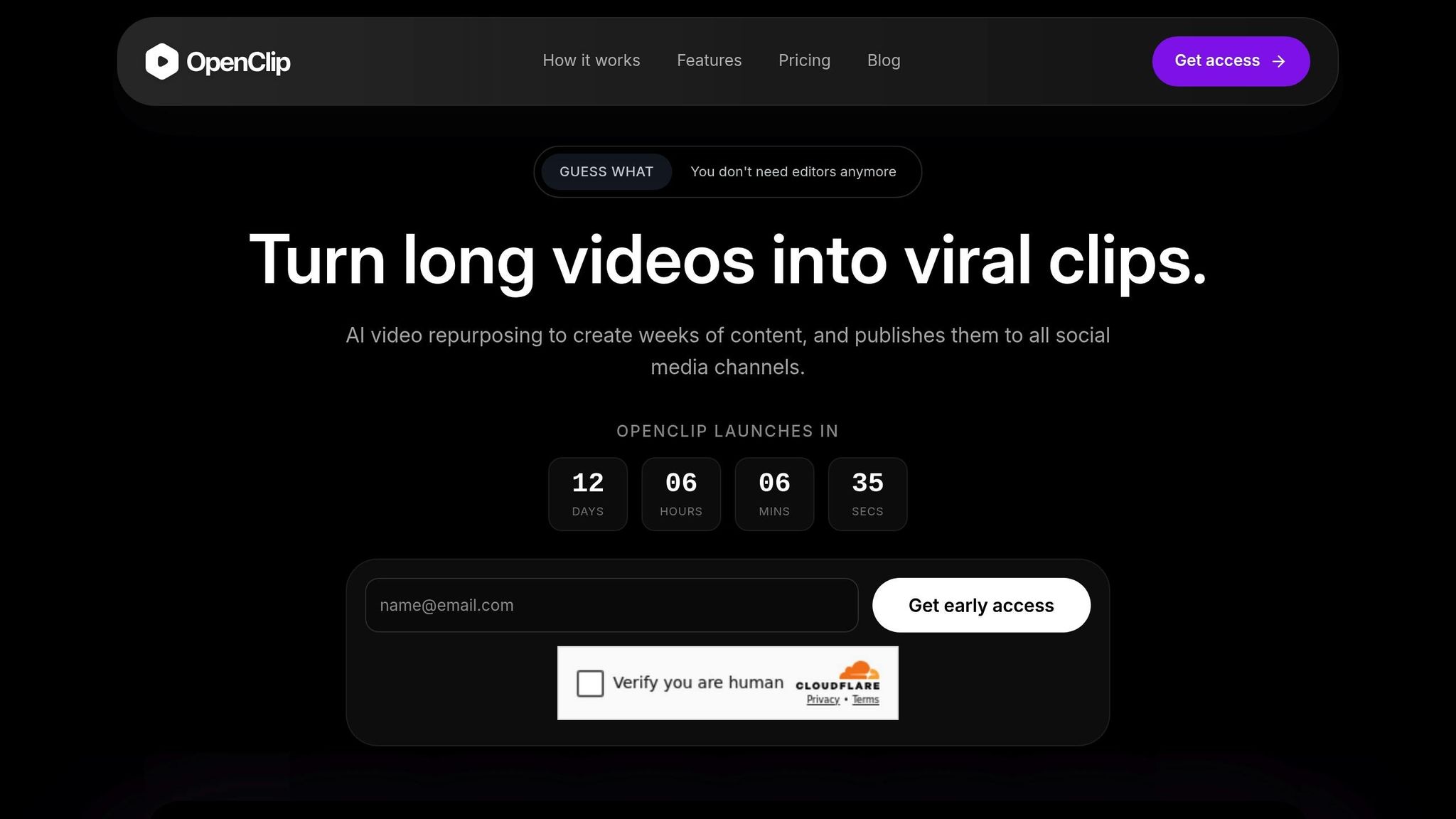
OpenClip takes the hassle out of video editing by combining silence removal with automated tools for creating platform-ready clips. It transforms lengthy content into dynamic, shareable videos optimized for TikTok, Reels, Shorts, X, and LinkedIn - all in one seamless workflow. Let’s dive into its features, pricing, and real-world applications that help creators make the most of their content.
Silence Removal Features
With OpenClip's AI, silence and filler words like "um" and "uh" are automatically detected and removed, creating smoother and more engaging clips. Trained on speech data, this feature ensures the natural flow of conversations remains intact while improving pacing. For example, a 30-minute webinar can be transformed into 10–15 TikTok-ready clips, saving hours of manual editing.
The silence removal tool works hand-in-hand with OpenClip's text-based editor. Here’s how it works: you interact with the video transcript, highlight sections to create clips, and apply one-click silence and filler word removal. You can customize silence thresholds (from 0.5 to 3 seconds) and adjust filler word sensitivity using simple sliders. Preview the changes before exporting to ensure the final product meets your needs. Advanced tools like speaker diarization maintain clarity in multi-person conversations, and EDL export allows professional editors to refine clips further.
The results speak for themselves: creators have reported a 3× increase in completion rates for Shorts and Reels, a 40% reduction in video length, and a 25% uptick in watch time. To streamline the process even more, the AI provides confidence scores for each suggested clip, helping you pick the ones with the best engagement potential.
Pricing and Plans
OpenClip’s pricing is straightforward, catering to a variety of creators:
Plan Price Processing Watermark Team Features Free $0/month 30 minutes/month Yes Solo use only Pro $9/month 180 minutes/month No Up to 3 brand profiles, priority queue Business $29/month 360 minutes/month No Unlimited profiles, team invites, highest priorityEach plan includes a 7-day trial. The Free tier is perfect for testing the platform but comes with watermarks, making it less practical for commercial use. The Pro plan eliminates watermarks and offers enough processing time for creators producing 5–10 clips per week. For agencies or teams managing multiple clients, the Business plan provides unlimited profiles, shared workspaces, and priority support.
Best Use Cases for OpenClip
OpenClip excels at repurposing long-form content into bite-sized clips tailored for social media, addressing viewer retention challenges head-on. It’s particularly useful for creators working with webinars, podcasts, and educational videos. For example, a New York-based educator turned 2-hour seminars into 20 TikToks weekly, amassing 50,000 views thanks to the improved pacing. Podcasters can transform full episodes into LinkedIn audio clips, while YouTubers can break down tutorials into Shorts with minimal effort.
sbb-itb-5598afdOther AI Silence Removal Tools
In addition to integrated platforms, several standalone tools specialize in removing silences from audio and video content. Here’s a closer look at three popular options.
Timebolt
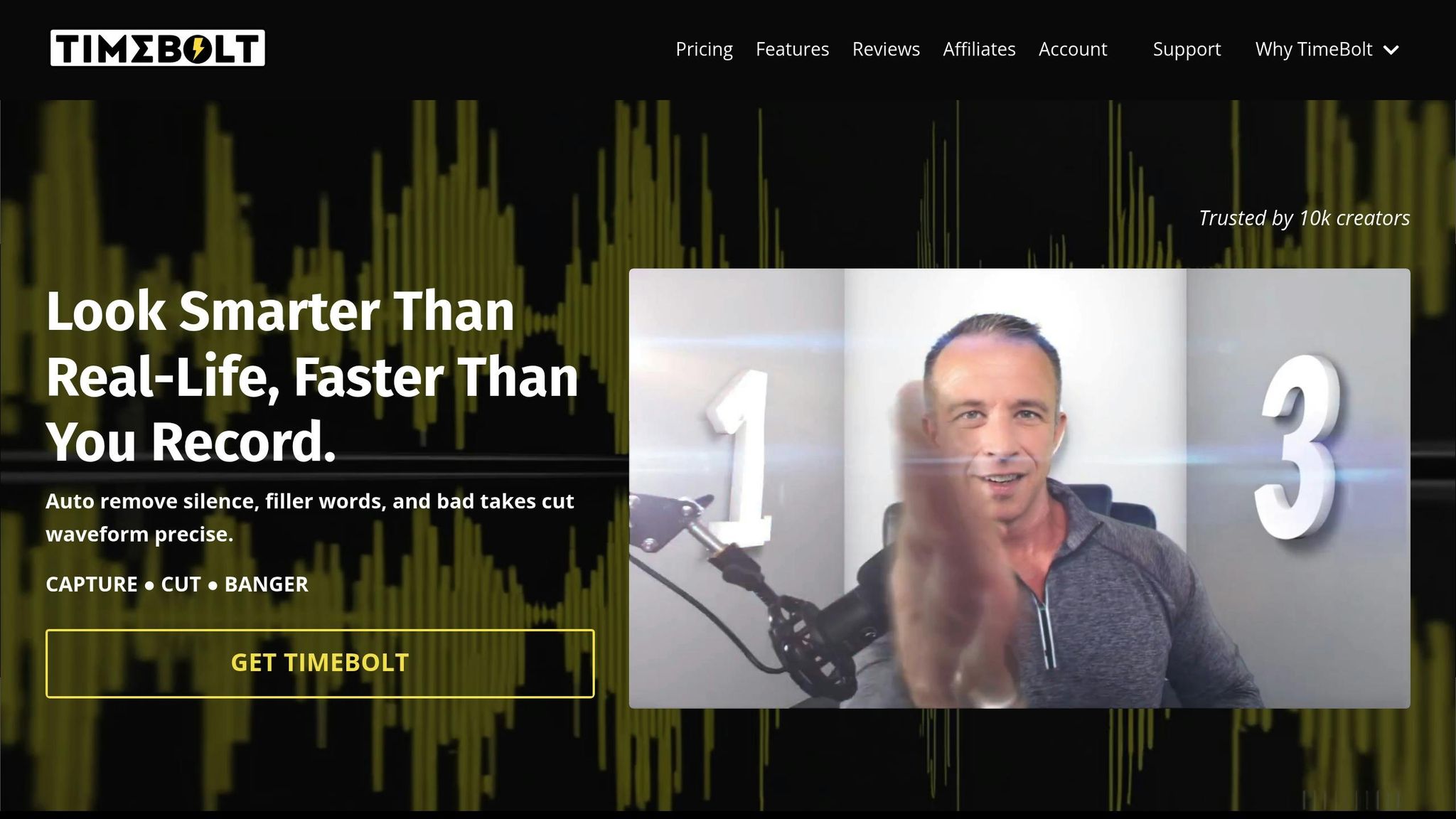
Timebolt is a desktop application available for Windows and macOS that automatically detects and removes silent sections from audio and video files. It works by analyzing audio tracks for low-volume segments, which it can either cut out entirely or speed through. For example, you could upload a 90-minute lecture, tweak the detection thresholds, preview the edits on a timeline, and then export the final version or an EDL (edit decision list) for further refinement in software like Premiere Pro, Final Cut Pro, or DaVinci Resolve.
This tool is impressively fast, capable of processing an hour-long video in under a minute on modern computers. Timebolt offers both one-time licenses and subscription plans, with individual licenses typically priced under $100. There’s also a Pro tier for those who need extra features. While praised for its speed and ease of use, some users note that it’s more of a utility than a full-fledged editor, meaning you’ll still need traditional editing software for more complex tasks.
Gling
Gling is another AI-powered editor, designed specifically for talking-head videos, podcasts, and interviews. Its main function is to remove silences and less engaging moments, creating a rough cut that maintains the natural flow of conversation. By analyzing speech patterns, Gling identifies dead air and low-energy sections, making it a time-saver for podcasters and interviewers who would otherwise spend hours manually trimming lengthy recordings.
Gling operates on a subscription model, with plans tailored to content creators. Entry-level pricing typically falls between $20 and $30 per month. Often referred to as an "AI editor for YouTubers," it’s popular for its ability to produce usable rough cuts with minimal setup. However, users working on dynamic or multi-camera projects may still need to fine-tune the results manually.
Descript
Descript takes a different approach by offering a text-based editing interface. It generates an automatic transcript of your video or audio, allowing you to edit the content by simply modifying the text. The tool can also identify and remove filler words like "um" and "uh" and trim silences with adjustable sensitivity. To keep the pacing natural, Descript automatically adds small buffers around cuts.
Descript follows a freemium pricing model. The free tier includes basic transcription and export options, while paid Creator and Pro plans - priced in the tens of dollars per month - offer features like additional transcription hours, AI overdubbing, and advanced collaboration tools. Its transcript-based editing style is highly regarded for its simplicity and efficiency.
These tools are excellent for quickly cleaning up lengthy recordings, serving as valuable complements to more comprehensive editing platforms.
How to Choose the Right Silence Removal Tool
Key Considerations
When picking a silence removal tool, think about your editing needs, the type of content you create, and your budget. For quick edits, such as social media clips, browser-based tools are a convenient choice. On the other hand, professional workflows that involve software like Adobe Premiere Pro or DaVinci Resolve may benefit more from desktop applications like Timebolt or plugins such as Recut.
The type of content you produce also plays a big role. For example, talking-head videos and webinars often require advanced AI to differentiate between intentional pauses and actual dead air. Meanwhile, podcasts and interviews demand precise speaker detection and transcript-based editing. Tools like Descript excel in these areas. If your goal is to repurpose long-form videos into vertical formats for platforms like TikTok, Instagram Reels, or YouTube Shorts, look for tools that combine silence removal with automatic reframing options, such as 9:16, 1:1, and 16:9 aspect ratios.
Budget is another key factor. While free tools like Audacity and Shotcut can handle basic silence removal, cutting roughly 80% of unwanted pauses, paid options offer more advanced features. Subscriptions typically start at around $12 per month for Descript Creator or $18 per month for VEED.io Pro. If you’re editing frequently, consider the time savings - some AI-powered tools can save you over 10 hours a week - and weigh that against the subscription cost.
Testing and Evaluation
After narrowing down your options, put the tools to the test. Use a 30- to 60-minute sample video to evaluate how well each tool processes your content. Experiment with the silence threshold settings and review the results to ensure the pacing feels natural.
Pay attention to how the tool handles natural speech rhythms. For instance, look for options that allow 0.5–1 second buffers to maintain a conversational flow. To fine-tune your decision, try running A/B tests with your audience on platforms like YouTube to see how the edits affect viewer retention. Additionally, consistent microphone use can enhance AI accuracy, so factor this into your evaluation. Lastly, test the tool on a variety of content types to ensure it performs well across different speaking styles and accents.
Conclusion
AI silence removal tools have turned video editing from a time-consuming, painstaking task into something you can accomplish in minutes. By automatically detecting and cutting out dead air while keeping the natural flow of speech intact, these tools eliminate the need for manual timeline scrubbing and make the process far more efficient.
This efficiency opens up opportunities for smoother workflows. Take OpenClip, for example - it goes beyond silence removal by offering a suite of features tailored for content creators. With OpenClip, you can upload a single long-form video and get multiple platform-ready clips in return. These clips come with silences removed, pacing adjusted, and extras like AI-driven clip creation, speaker detection, and automatic reframing for formats like 9:16, 1:1, and 16:9. It even lets you schedule posts directly to platforms like TikTok, Instagram Reels, YouTube Shorts, X, and LinkedIn. Pricing starts at $9/month for the Pro plan, which includes 180 minutes of processing and watermark-free exports.
Whether you opt for a dedicated tool like Timebolt or Descript to clean up timelines quickly, or an all-in-one platform like OpenClip for repurposing and distribution, the best way to choose is to test them on a real project. Try running a recent video through a few tools, compare how they handle intentional pauses versus unwanted gaps, and evaluate the time saved and output quality. Once you find the right fit for your needs, budget, and workflow, make it a regular part of your production process. This will not only save you time but also enhance the quality of your content.
For creators juggling multiple platforms and tight deadlines, AI silence removal isn’t just a helpful tool - it’s a game-changer. It makes consistent, polished content achievable without the need for a full editing team. Choose the tool that aligns with your goals, and with regular use, you’ll enjoy faster edits and stronger audience engagement.
FAQs
How do AI tools decide which silences to remove from videos?
AI tools detect silences by examining the audio track for moments with little to no sound. They rely on algorithms that assess amplitude levels and time duration to identify pauses that are likely unimportant. This way, they preserve meaningful dialogue and critical audio cues while cutting out unnecessary gaps.
This approach helps refine content, keeping it smooth and engaging for viewers.
What sets Descript, Timebolt, and OpenClip apart when it comes to silence removal and video editing?
Descript is a powerful tool designed for those who need advanced transcription and editing capabilities, making it perfect for handling complex audio and video projects. Timebolt, on the other hand, excels at quickly and accurately removing silence, which is a huge time-saver during post-production. Then there’s OpenClip, which leverages AI to turn lengthy videos into short, shareable clips. It handles tasks like transcription, speaker identification, and even scheduling content for platforms such as TikTok, Instagram Reels, and YouTube Shorts.
How does AI-powered silence removal help boost viewer engagement on social media?
AI-driven silence removal enhances viewer engagement by making videos more fluid and dynamic. By cutting out lengthy pauses and unnecessary gaps, the content flows at a quicker pace, making it more enjoyable and less likely to lose the audience's attention.
This method ensures your message is communicated efficiently, aligning perfectly with the brief attention spans common on social media.
Turn one video into a week of content.
Try OpenClip free